For your plans and work. Explore ILJI’s features.
Calendar
Your month in view. Your day in detail.
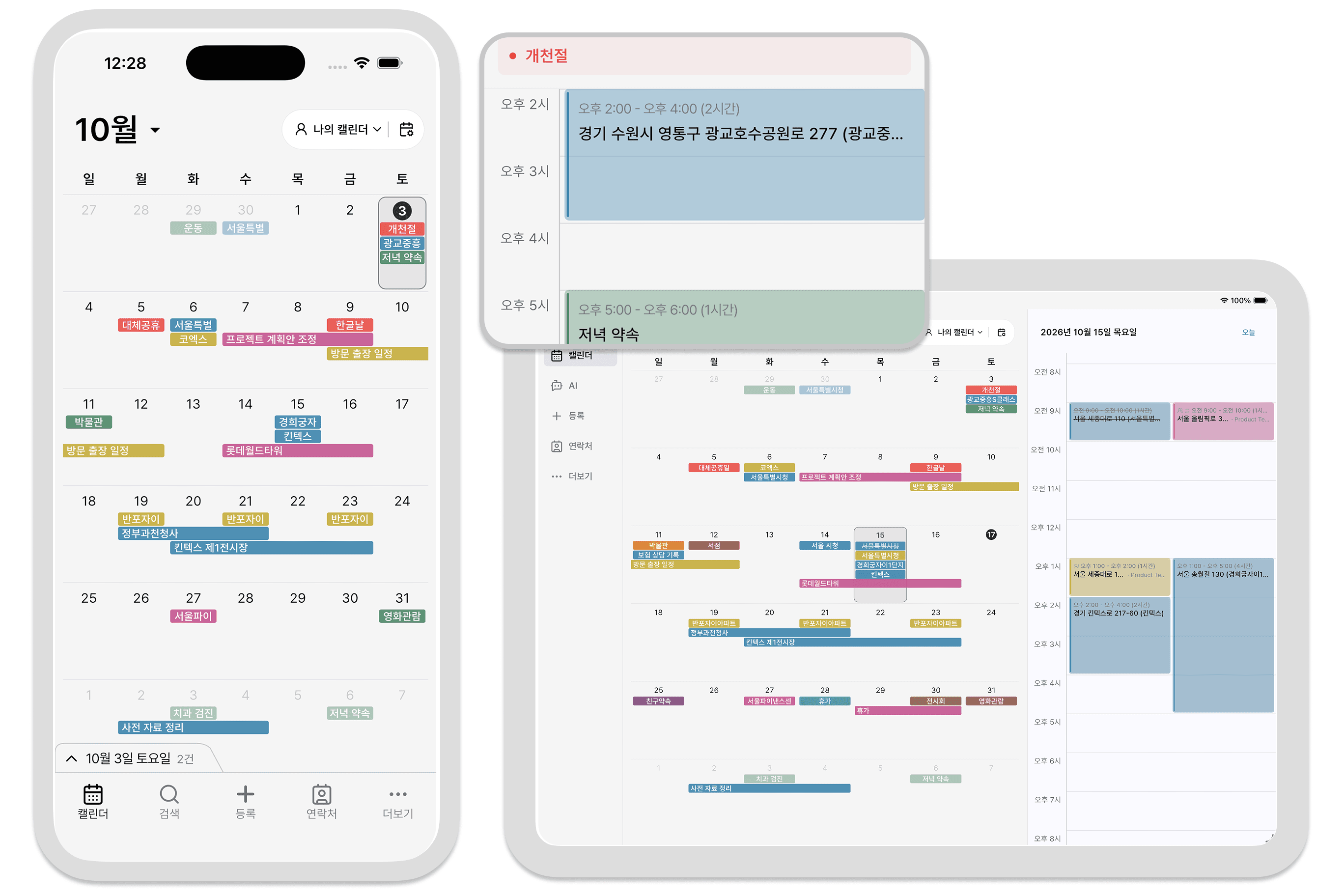
See personal, work, and team events together. View your month in the calendar and your day on the timeline. Assign team events so it’s clear who’s responsible.
Widgets
Plans and key dates. On your home screen.
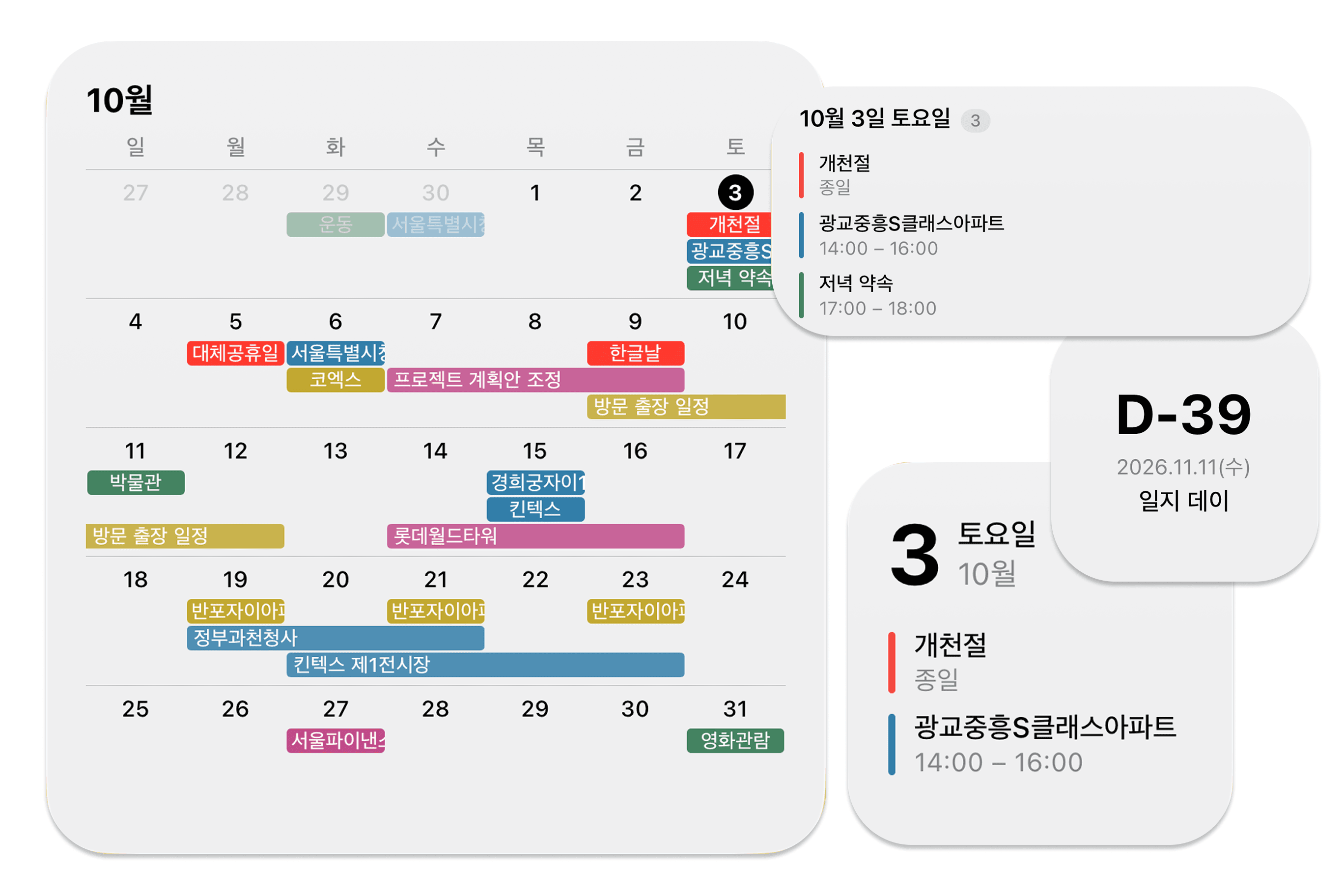
Add today’s schedule, a monthly calendar, or a countdown widget to your home screen. Check your day and count down to important dates without opening ILJI.
Forms
Build forms that fit the way you work.
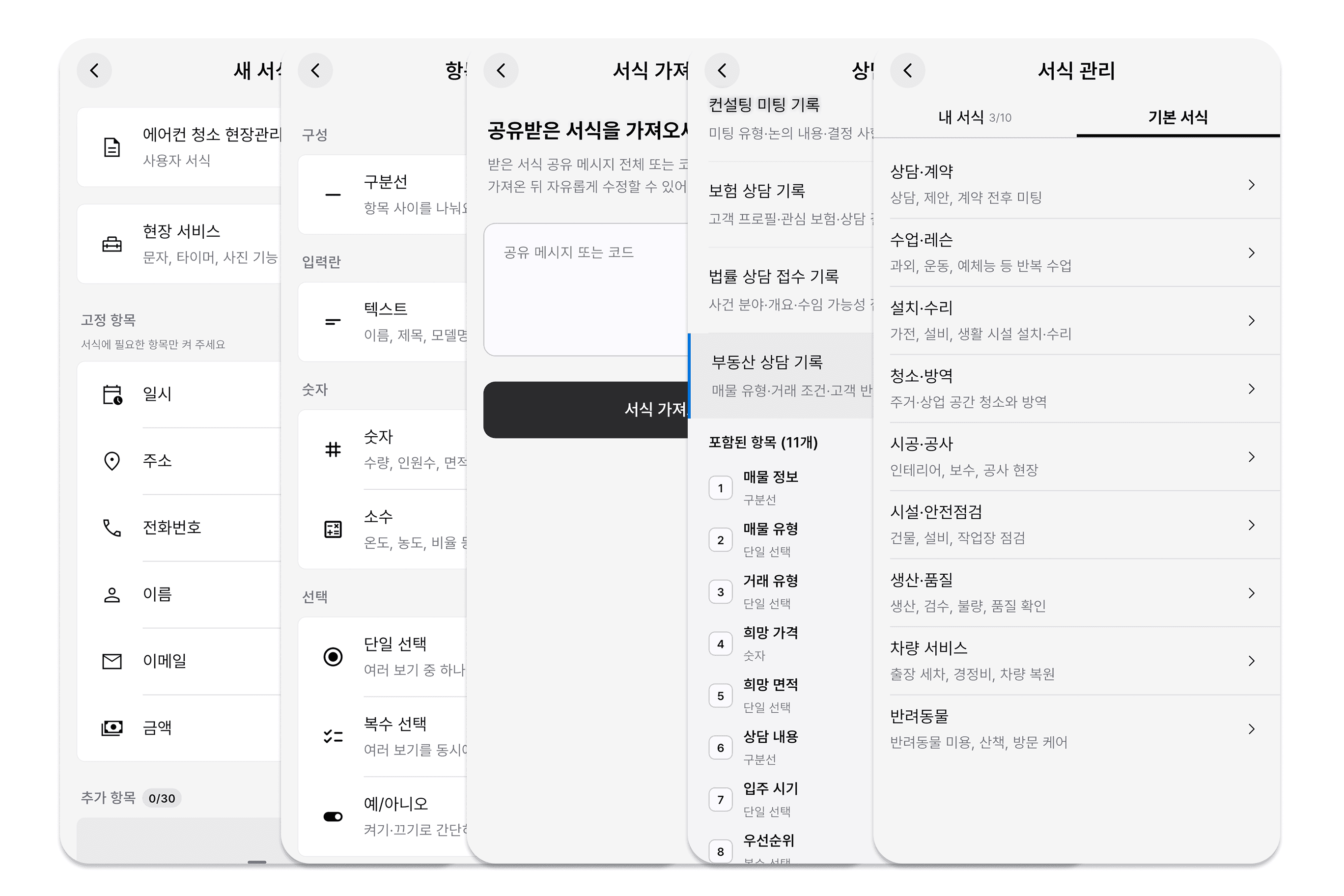
Add text, number, and choice fields, then arrange them to suit your work. Reuse each form across events, or start with an AI draft that you review and edit.
ILJI AI
Past events. Free time. Just ask ILJI AI.
Ask naturally, like “What’s on my schedule next week?” Find past events, compare event counts by time period, or look for free time that fits your needs.
Contacts & history
Past work. Next plans. Right in your contacts.
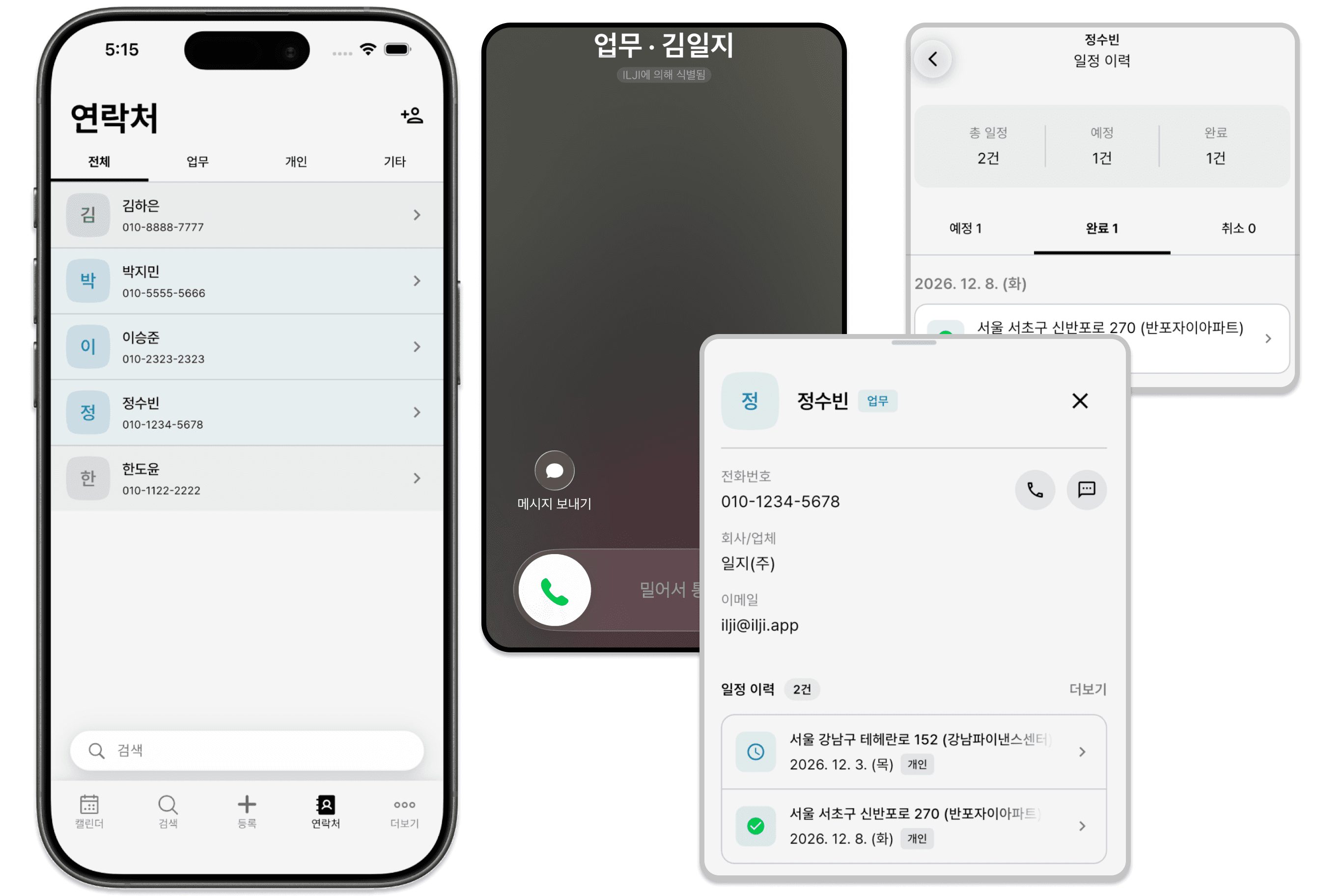
See past and upcoming events linked to each contact. Review previous work entries as you prepare for your next call or appointment.
Messages & documents
Send updates by text. Share your work as a PDF.
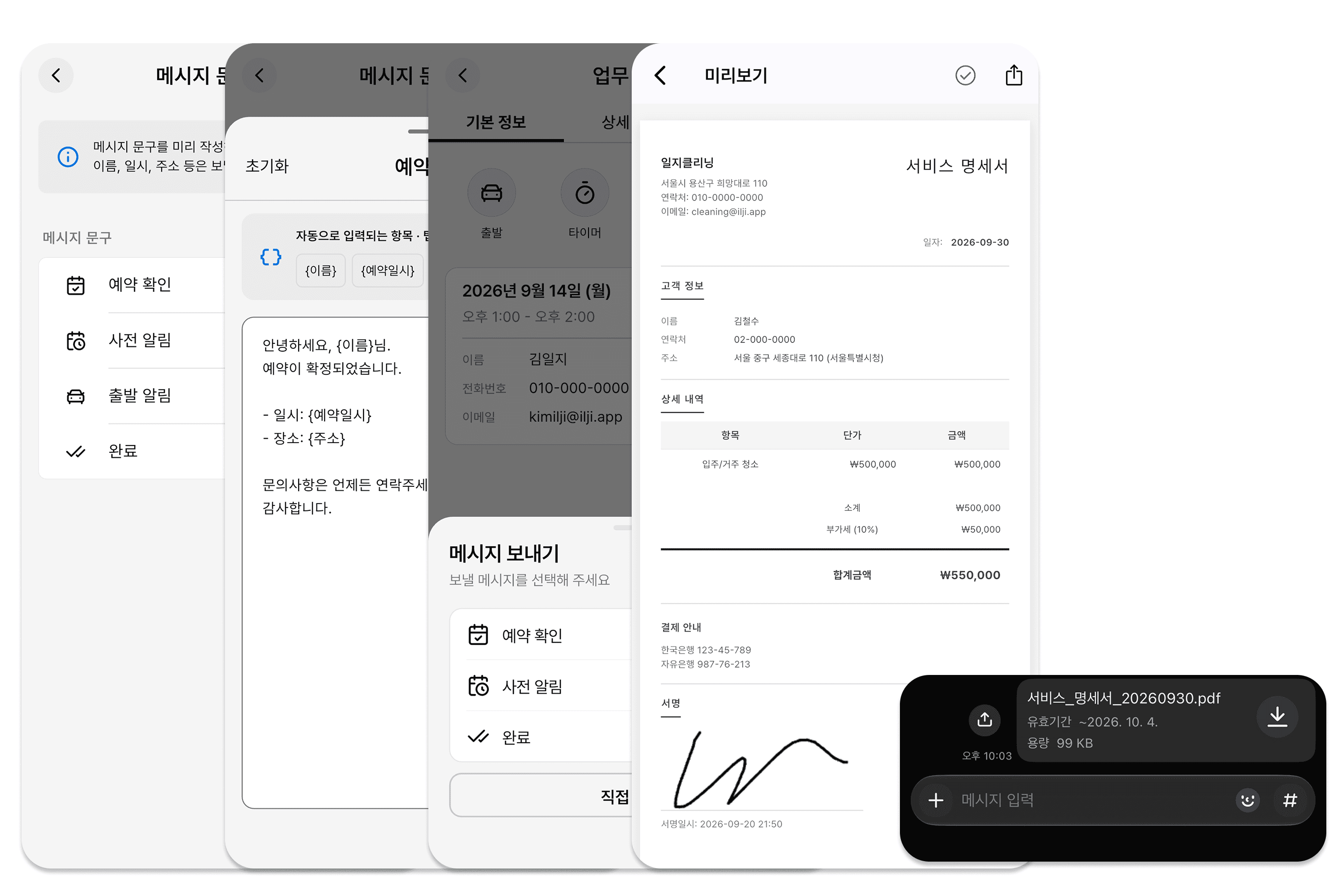
For field service events, choose a saved message and send it through your phone’s messaging app. View entries from custom forms as documents, add a signature, and share a PDF.
Field Service
Log your work on site, from start to finish.
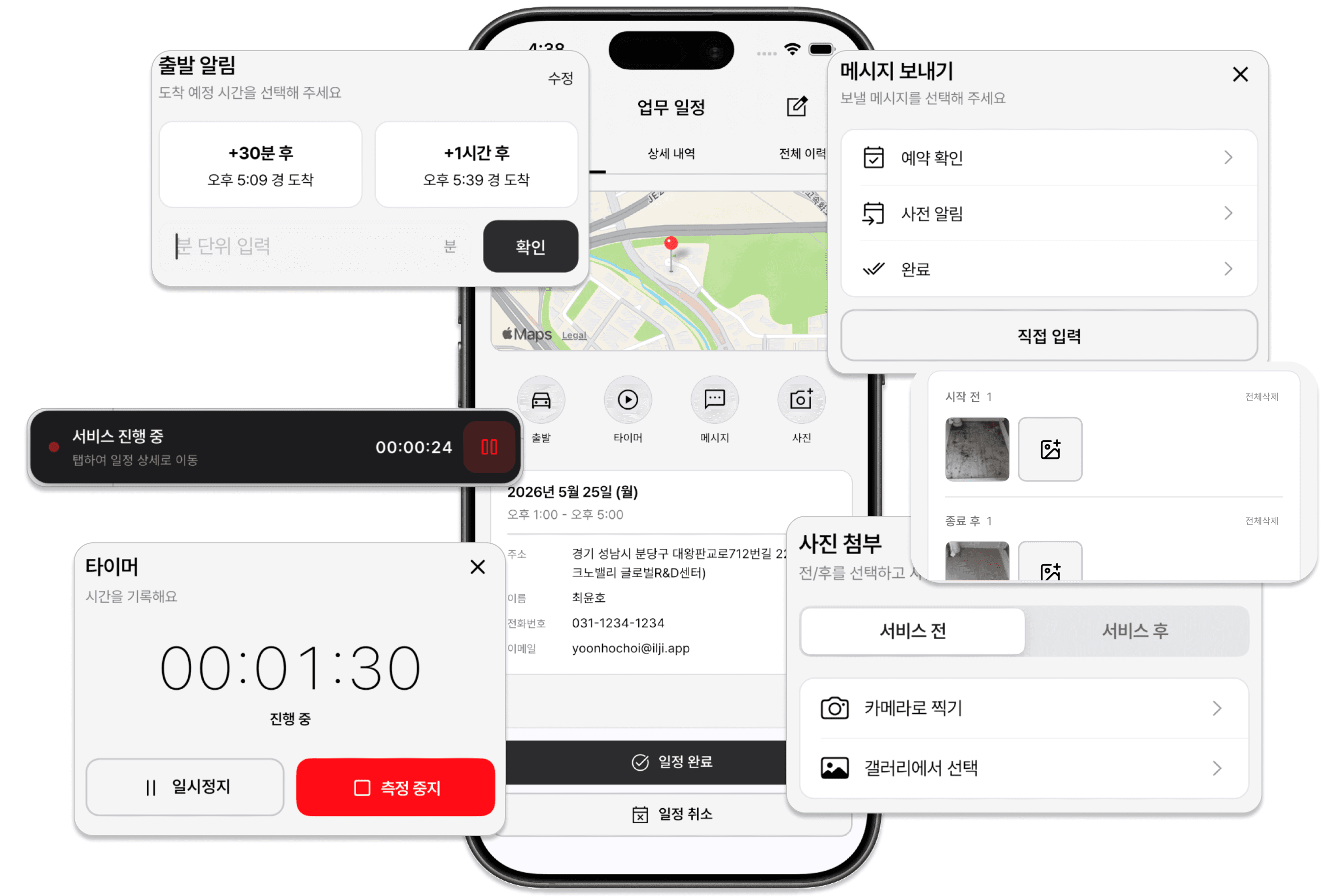
Enable Field Service in a form to use the timer and photo attachments. Track time on site and add before-and-after photos alongside your work entries.