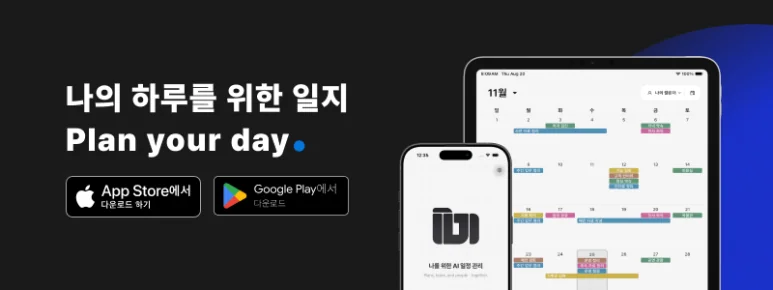
While choosing a desk or wall calendar for 2027, consider the appointments and tasks you will put in it. Travel, family gatherings, regular lessons, meetings and deadlines all need preparation. Adding a phone calendar lets you check appointments away from your desk and update plans when they change.
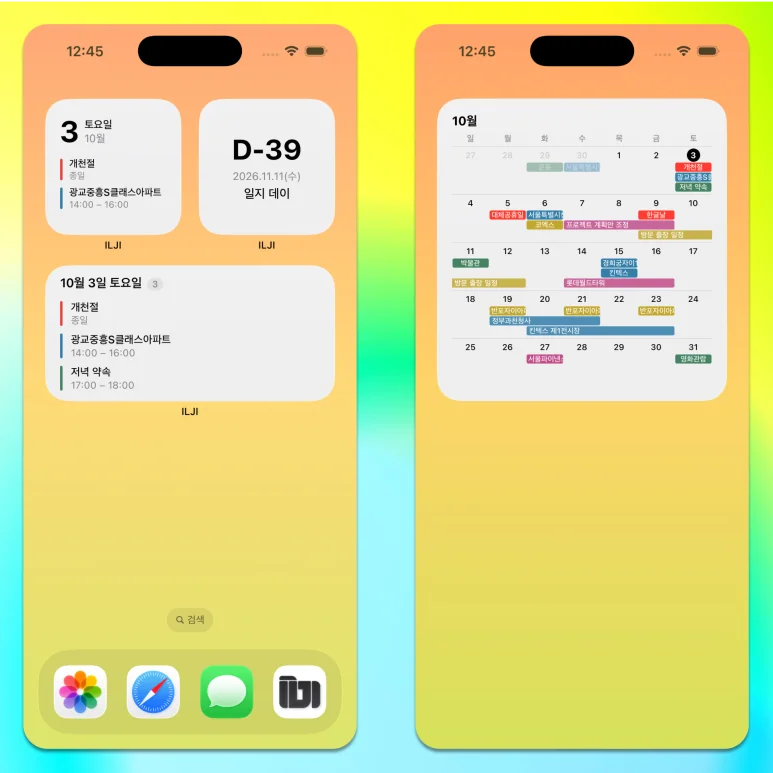
ILJI is a calendar app for personal appointments and work. Set the date, add what you need for that day and return to the details of completed work.
From New Year Appointments to Recurring Events
Start with appointments that already have a date. Tap the month at the top of the calendar to choose a month in 2027, then press and hold the date to open event creation. Add a title, time and location to a personal event, with items to prepare or notes. For a family gathering, include the meeting place and what to bring; for travel, include departure time and preparation. Use recurring events for weekly lessons or regular meetings, and multi-day events for trips or vacations lasting several days.
From a Monthly Plan to Today’s Schedule
The monthly view shows dates with events. Select a date to see its appointments by time, moving between an overview of the month and the order of today’s activities.
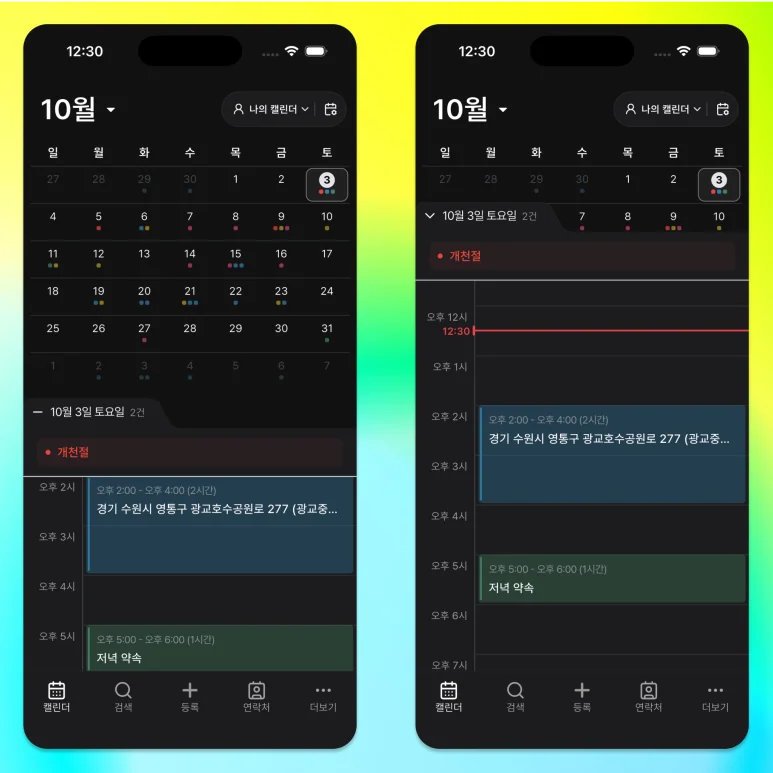
Open each appointment to review its location and preparation. For a presentation, you might include checking the material, sending files and testing equipment, then revisit that same list on the day. Use Today to return after browsing other dates. Use the same calendar for next year’s important dates and the work to do now.
Forms That Fit Your Work
Work events need more than dates: agendas and decisions for meetings, inspected items and results for checks, or amounts and processing details for settlement.
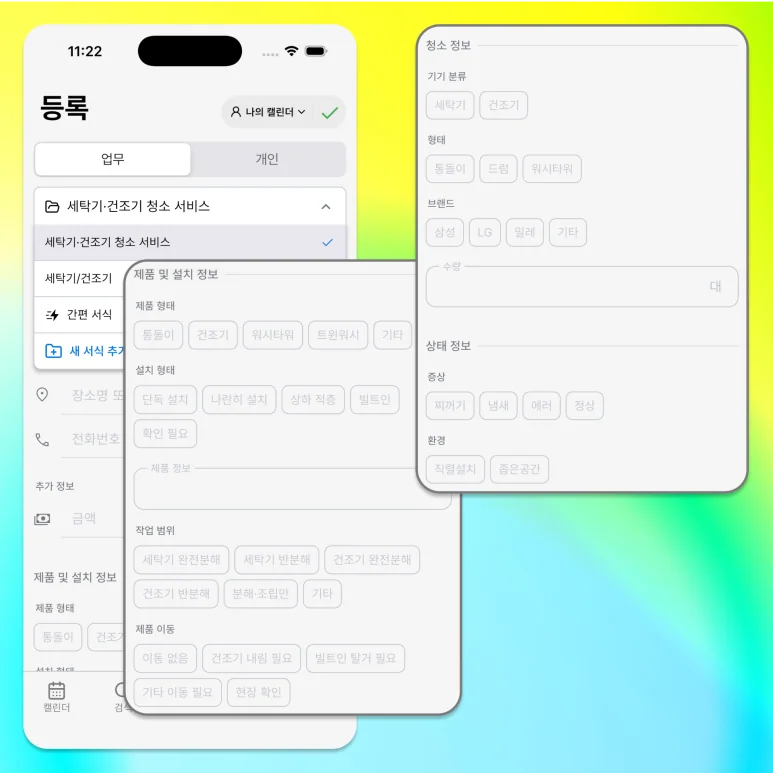
Start with Quick form for an event title, location, items and notes. Build a custom form when you need additional fields. Reuse the structure for details you check at each appointment. Review the values in the detail screen, mark finished work complete and share supported work details as a PDF when needed.
Use a Team Calendar for Shared Work
When others join work you previously managed alone, use a team calendar. Assign people to events and review the same appointments together.
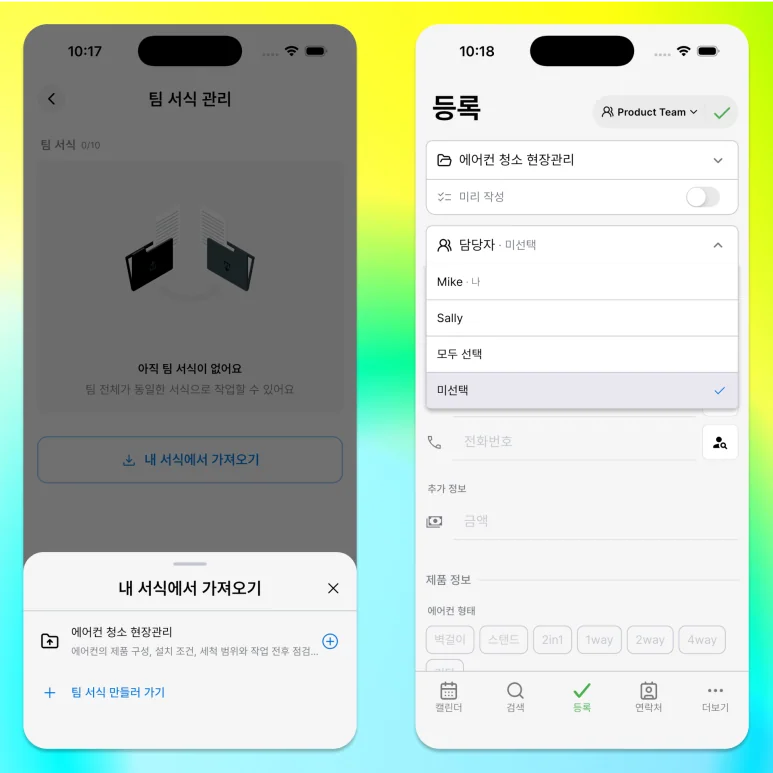
Keep personal events in your own calendar and shared work in a team calendar.
A Simple View Centered on Your Events
ILJI’s monthly view uses the same default date-text color for Saturday and Sunday as other weekdays.
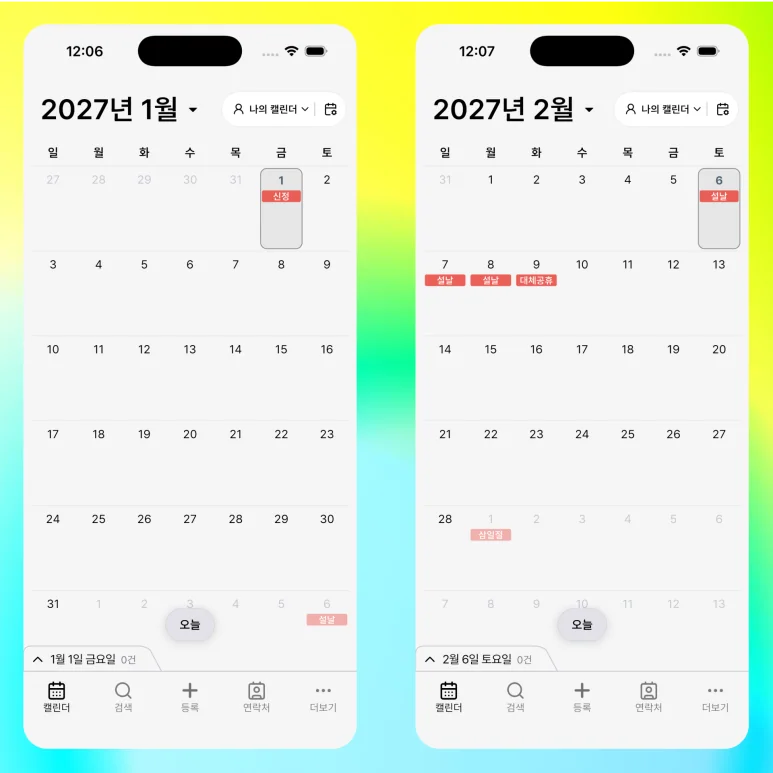
In light mode, dates use dark text and today is circled. Weekends do not get a separate date-text color. Built-in holiday information marks public holidays; the expanded month shows their names in red labels. The view focuses on your events rather than adding general anniversaries or seasonal terms to every date. As you choose a paper calendar for 2027, decide which plans also belong on your phone. Keep dates you want to see at a glance on paper and appointments needing time and preparation details in ILJI.
Add one New Year appointment and the items you will need that day. Start with checking the time, reviewing preparation and adding work details in ILJI.