What did we promise in the last conversation? When did we agree to get back in touch?
A customer calls as you leave a meeting. You agree to follow up next week, then head straight to the next appointment. By the time you return to your desk, the details may be harder to recall.

Separate Contract Records from Next Actions
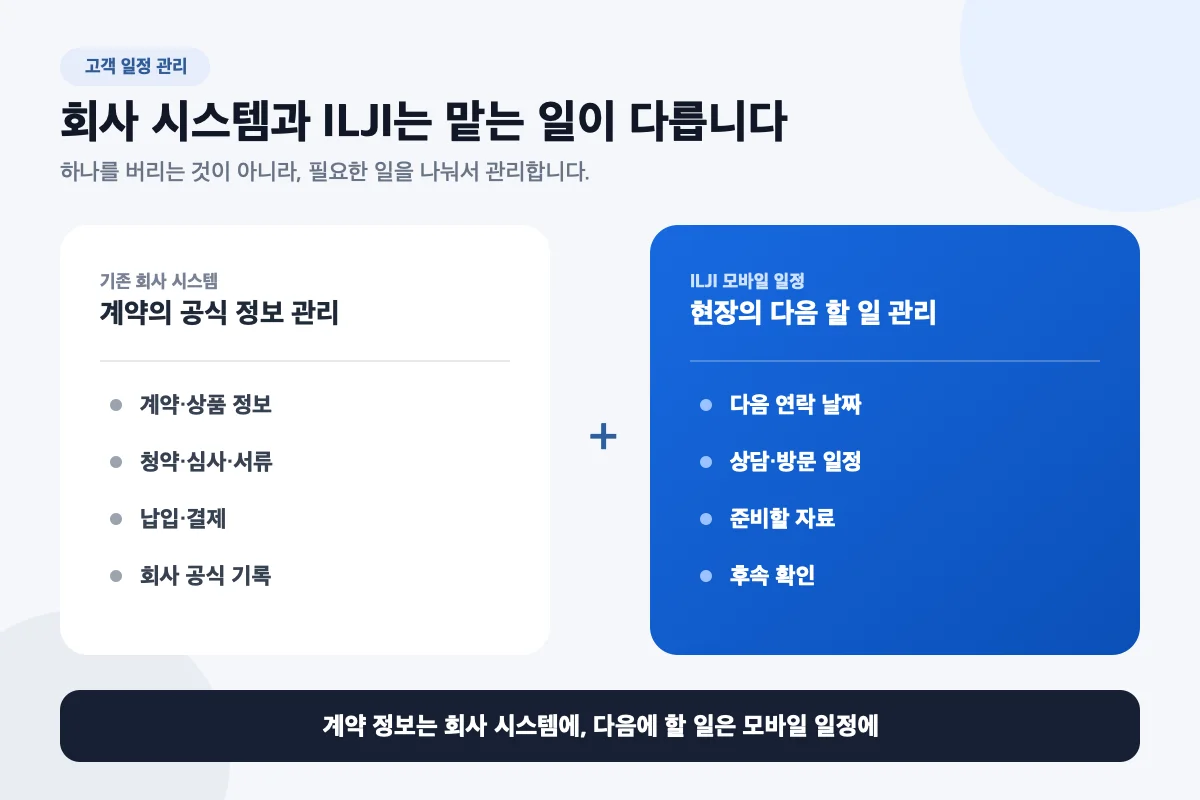
Your company CRM or contract system holds product details, documents, and official records. A personal scheduling tool serves a different purpose: deciding when to call, what to prepare, and which response to check.
- Official company system: contracts, products, documents, payments, and required records
- Personal scheduling tool: follow-up calls, meetings, preparation, and response checks
You do not need to copy every contract into two systems. The goal is to support the existing process by turning promises made in the field into actions you can find later.
Give “Call Later” a Date
“I should call next week” is hard to find on today’s calendar. If you agreed on a time, create an action such as “Tuesday, 2 p.m.—review the requested material and call back.”
If the customer has not agreed to a date, do not invent an appointment. Instead, schedule your own check: “Friday afternoon—check whether a reply has arrived.”
- Schedule: Tuesday at 2 p.m., call after reviewing the requested material
- Preparation: review the information to share
- Note: the last promise and purpose of this call
- Next check: when to review the situation if there is no response
Three Moments to Review Your Day
Before a meeting, check its purpose and preparation. During a call, focus on the conversation; afterward, record the new commitment. At the start of the next workday, review who you need to contact or meet.
You do not need a transcript. A note such as “Reply after checking the documents” may be enough to support the next action. Choose a safe moment while stationary to update your schedule.
Connect Contacts and Schedules in ILJI
In a work form that supports contact selection, choose a saved ILJI contact to connect the schedule to that person’s history. Typing the same name does not link records automatically.
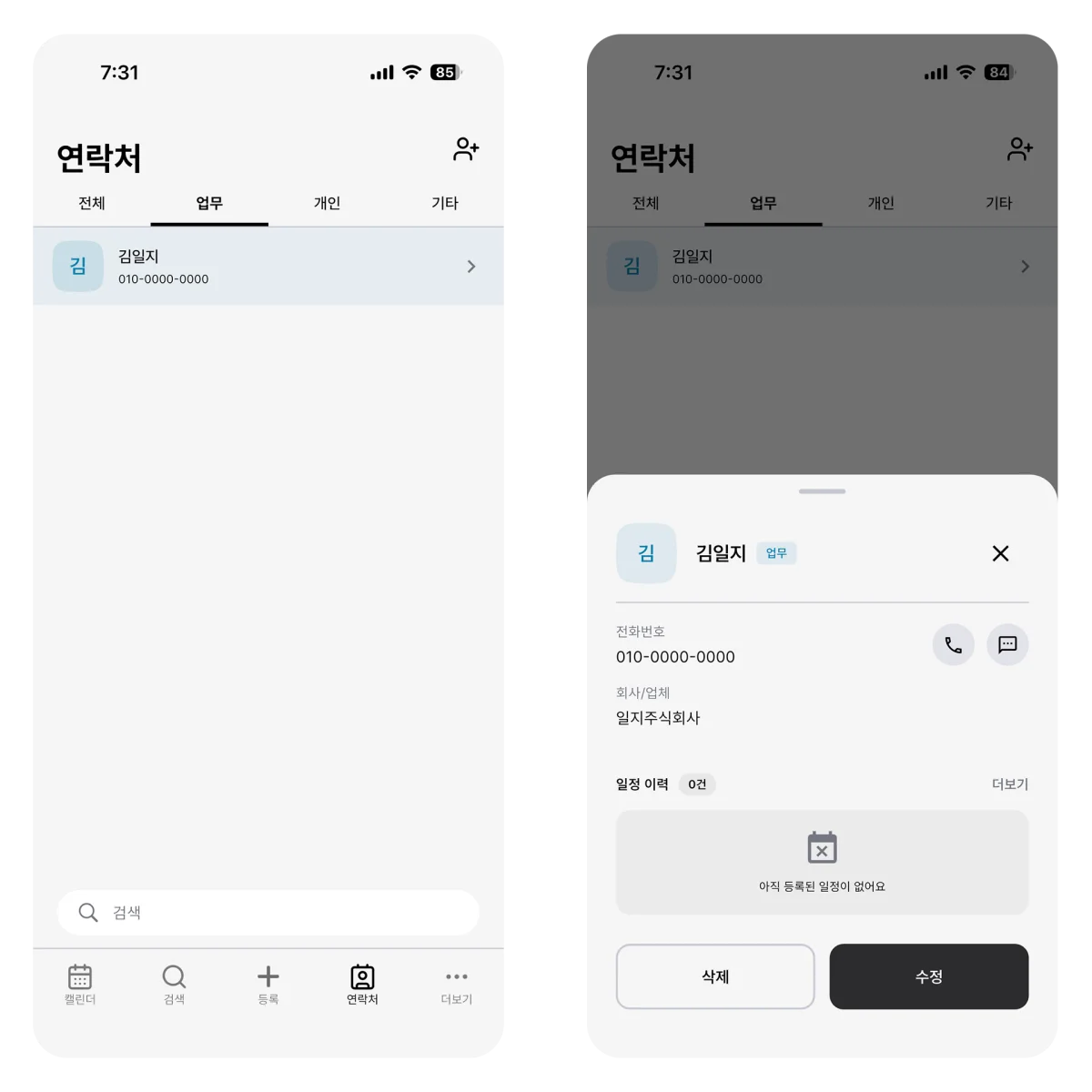
Contact details show the three schedules closest to the current time, and you can open each schedule. The full schedule-history page is available with Plus or Team.
Keep the purpose and preparation with the schedule, then create the next follow-up yourself as the conversation develops. This does not automatically create future promises or synchronize them with a company CRM.
Keep Company Information Within Its Boundaries
Record only the information needed to carry out the next action. Detailed contracts and sensitive personal information belong in the systems approved by your organization. First check whether using an external scheduling tool is permitted at all.
If customer names cannot be entered, use an identifier your organization permits. Convenience should not override company security rules.
Keep the contract in the official system and the next promise on the calendar. Start with one customer you spoke to today.