Once an air conditioner cleaning visit is booked, the date, address, and equipment type are usually the first details to check. One wall-mounted unit and several ceiling units need different equipment and time.
Installation height and ladder access affect preparation, and a grease-heavy restaurant differs from a home. Keep equipment, installation conditions, agreed cleaning scope, and pre- and post-work checks with the event.

What to Keep With the Event
Type and quantity alone do not describe every visit. Manufacturer, model, location, installation height, and condition can affect the required equipment and work.
Operation and leaks also need checking afterward. Without an entry of the starting condition, it may be hard to distinguish an existing symptom from a later finding.
A Reference Breakdown by Unit Type
- Wall-mounted: 29.0%
- Four-way ceiling unit: 20.4%
- Floor-standing: 19.4%
- Two-in-one system: 15.1%
- One-way ceiling unit: 14.0%
- Two-way ceiling unit: 2.2%
These figures are a reference summary of classifiable equipment types in 2026 cleaning data, not an estimate of the whole market. The article does not specify the sample size or collection scope.
Wall-mounted units have the largest share in this reference set, while ceiling types such as one-, two-, and four-way units also appear. Build a form that can describe several types and quantities rather than assuming every site has one kind.
Separate Basic Fields From Equipment Details
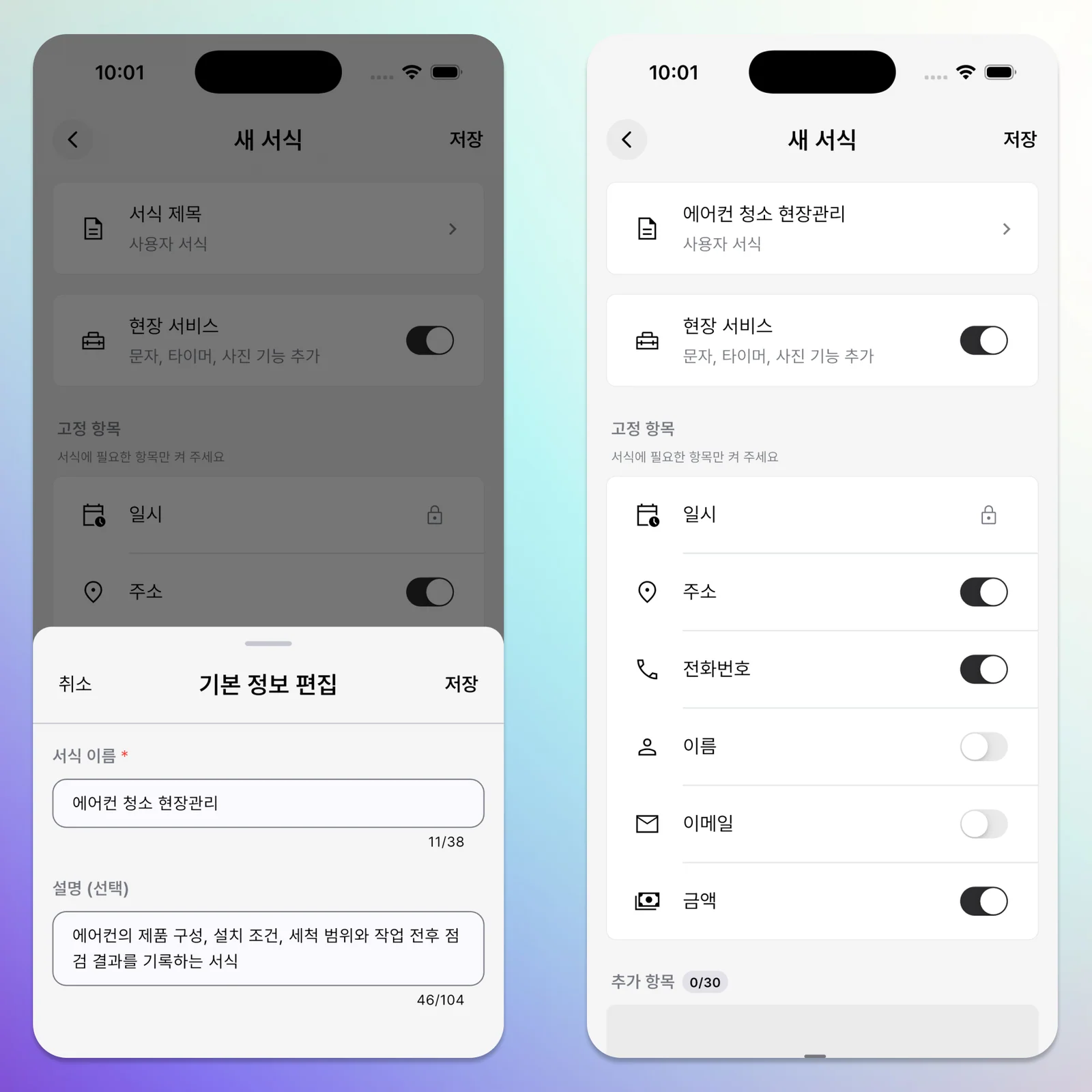
ILJI already provides name, phone, email, location, date and time, and amount. Do not recreate them as additional fields.
Use the built-in amount for the agreed job price and notes for customer agreements. Assign the workers on a team event, and reserve additional fields for details that vary between air conditioner cleaning jobs.
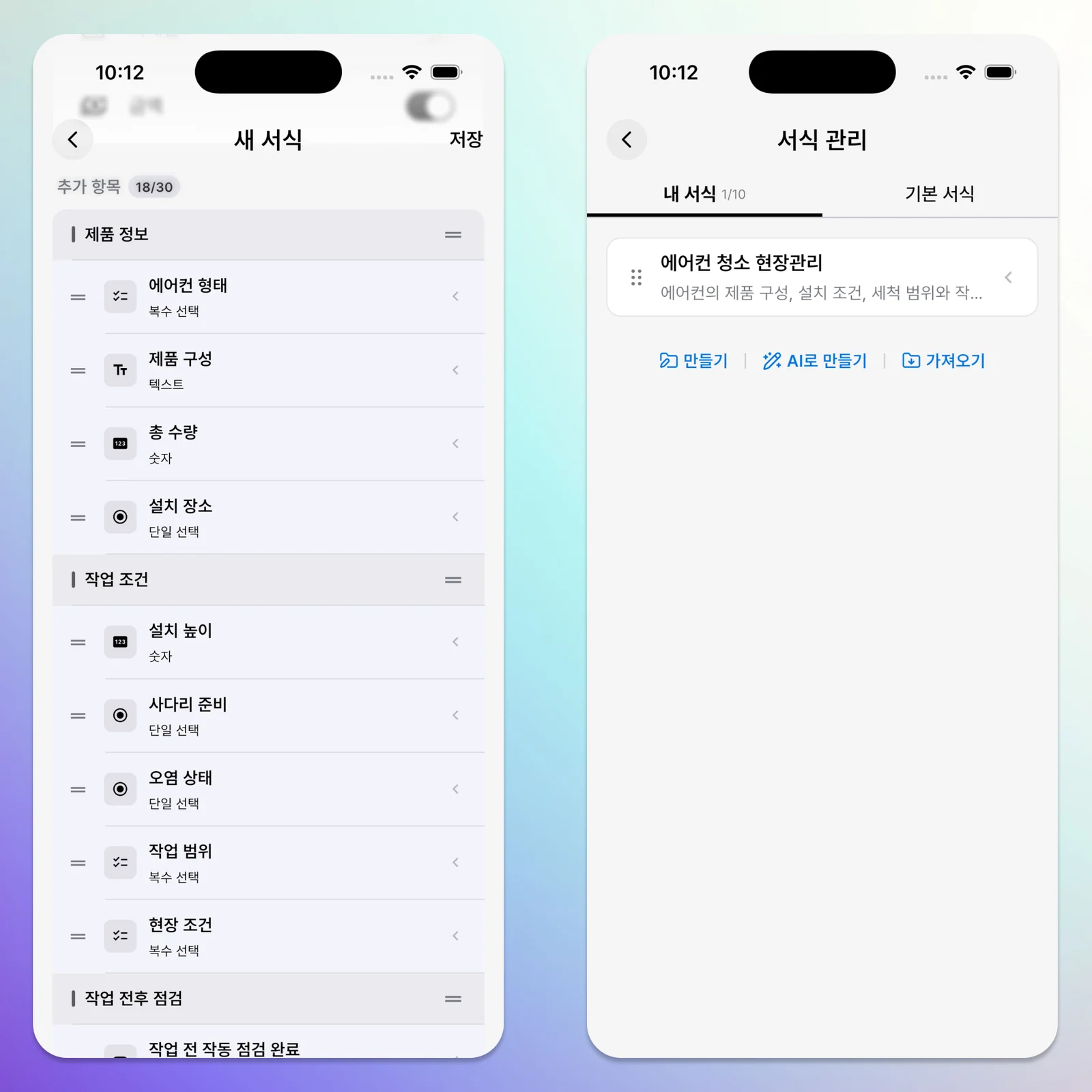
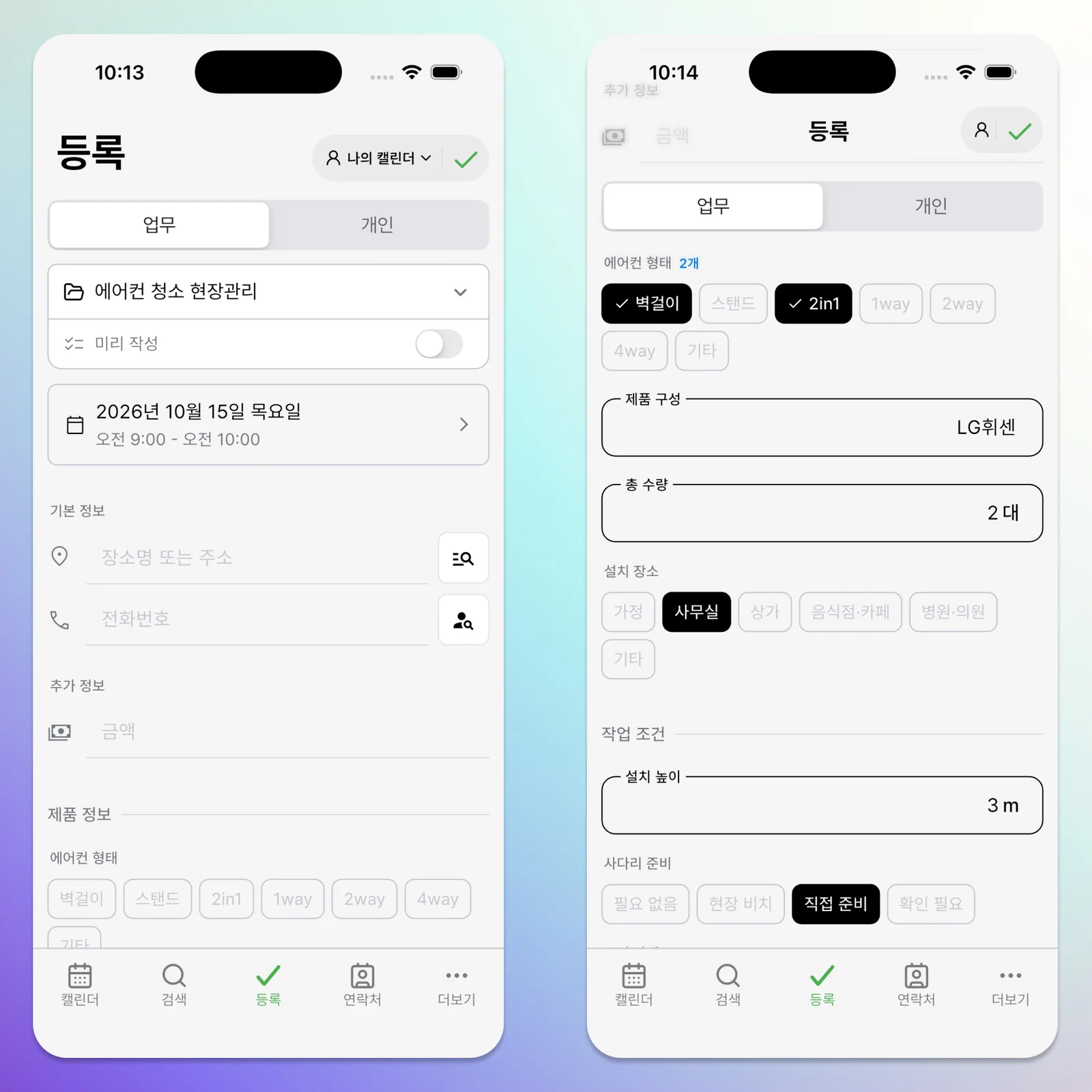
Air Conditioner Cleaning Form Structure
- Form name: Air Conditioner Cleaning
- Description: Equipment, installation conditions, cleaning scope, and results of before-and-after checks
- Basic fields: name, phone, location, and amount on; email only when needed
- Field Service: on
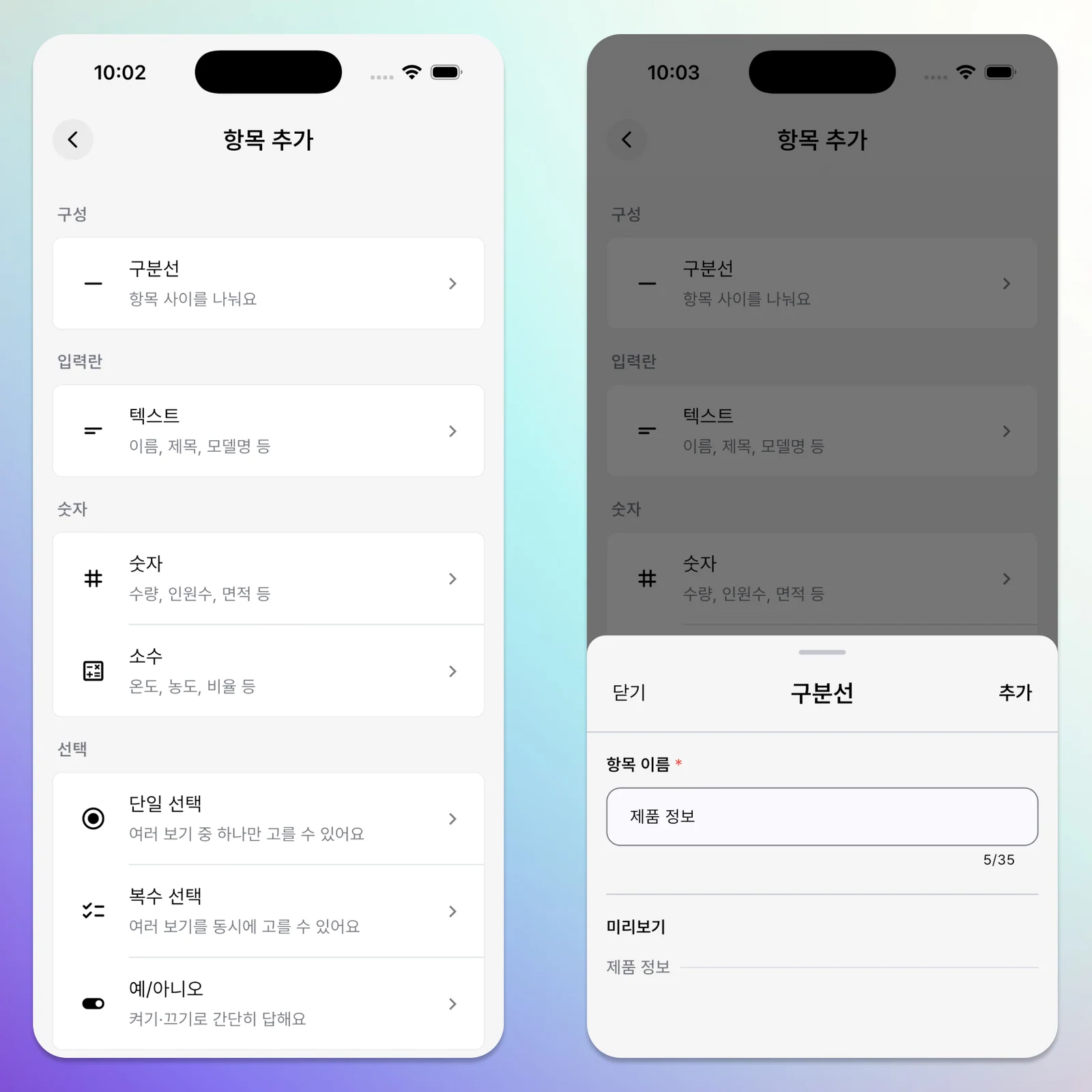
Use section dividers for equipment, work conditions, checks, and follow-up. Dividers separate fields visually and do not store answers.
Equipment
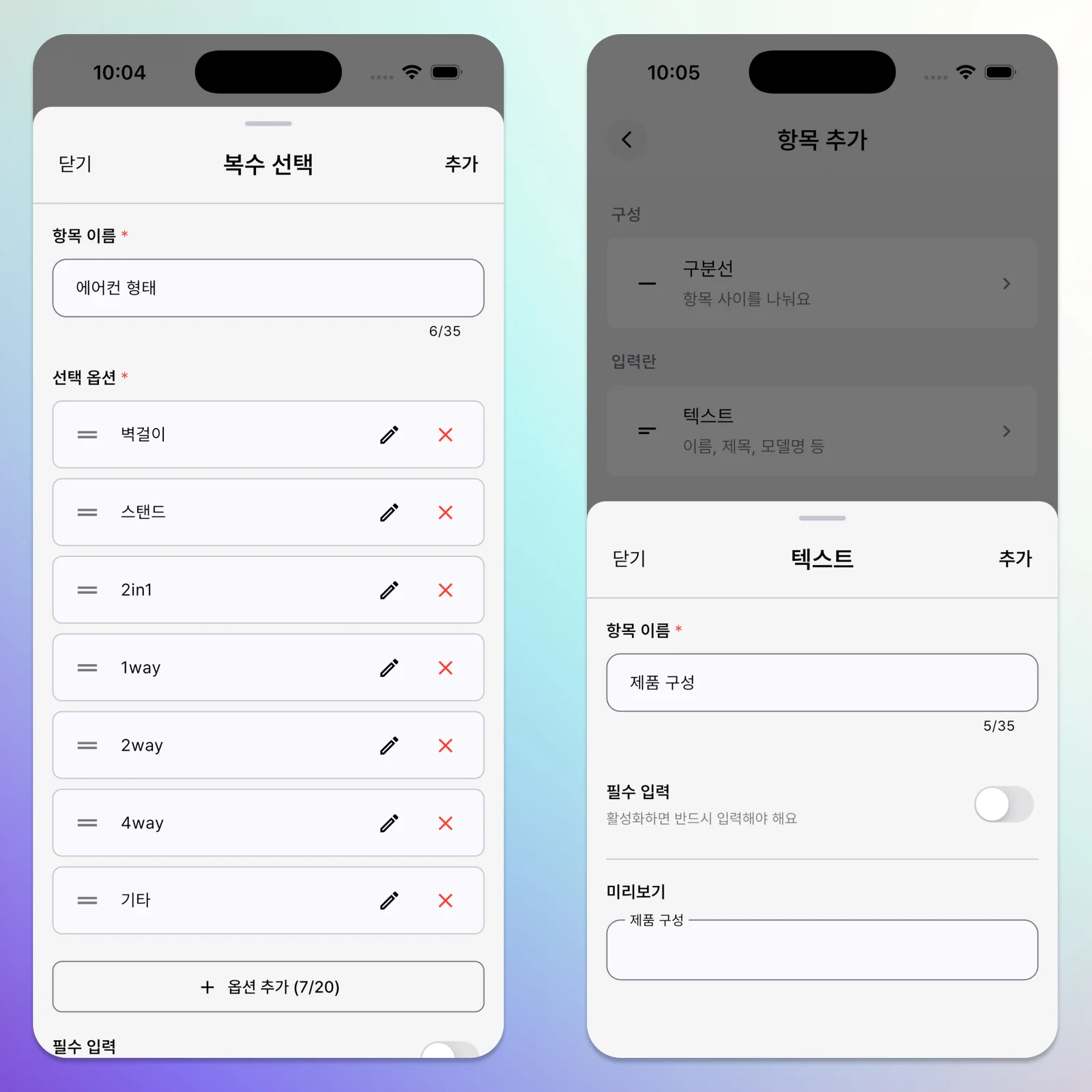
- Unit type / multiple choice: wall-mounted, floor-standing, two-in-one, one-way, two-way, four-way, other. Allow several choices for mixed equipment on one site.
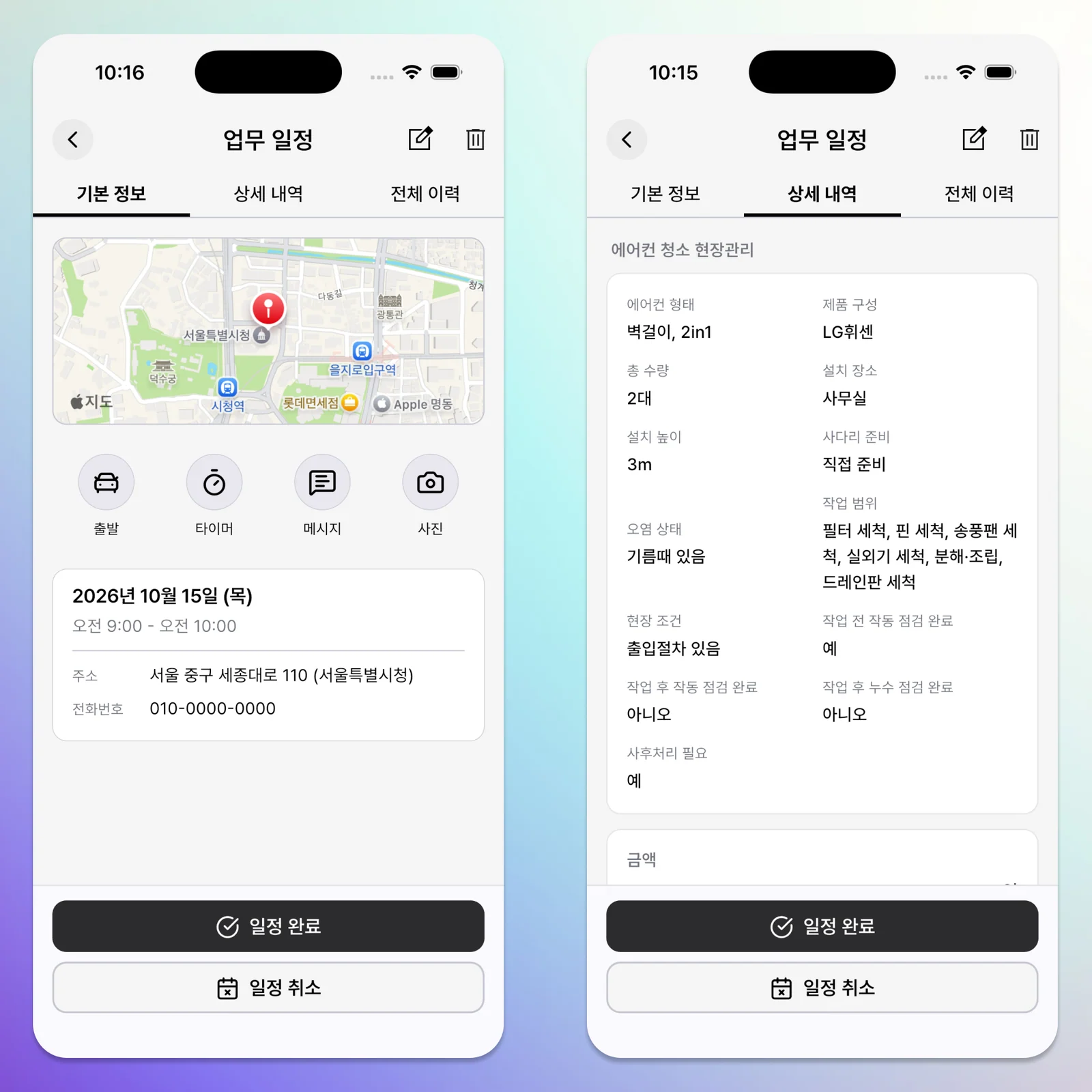
- Equipment details / text: list manufacturer, model, and quantity by type on separate lines, such as two LG four-way units and one Carrier wall-mounted unit.
- Total quantity / number: unit count
- Premises / single choice: home, office, commercial space, restaurant or café, hospital or clinic, other
Work Conditions
- Installation height / number: meters, when height needs checking
- Ladder arrangement / single choice: not needed, available on site, bring one, needs checking
- Condition / single choice: ordinary, heavily soiled, grease present, check on site
- Scope / multiple choice: filters, fins, blower fan, drain pan, front panel, outdoor unit, disassembly and reassembly, other
- Site conditions / multiple choice: parking arrangement needed, entry procedure, restricted workspace, surface-protection scope needs checking
Before and After Checks
- Starting condition / multiple choice: weak cooling, noise, leaks, fan fault, power issue, other issue
- Pre-work operation check complete / on-off toggle
- Post-work operation check complete / on-off toggle
- Post-work leak check complete / on-off toggle
Follow-Up
- Follow-up needed / on-off toggle
- Follow-up details / text: why another visit is needed and what to check or handle
When a Site Has More Than One Unit
Type and total quantity may be enough when all units are the same. List separate lines in equipment details when manufacturers or types differ.
- Two Samsung four-way ceiling units
- One LG one-way ceiling unit
- One Carrier wall-mounted unit
Enter four as the total quantity. You can review the overall job and preparation without needing a repeating set of fields for every unit.
Why Keep Before and After Checks Separate?
Cleaning continues through reassembly and checking operation. Note cooling, noise, leaks, and fan operation before the work, then check operation and leaks afterward. Turn on the pre-work check toggle once that check is complete, and select any observed issues in the starting-condition field.
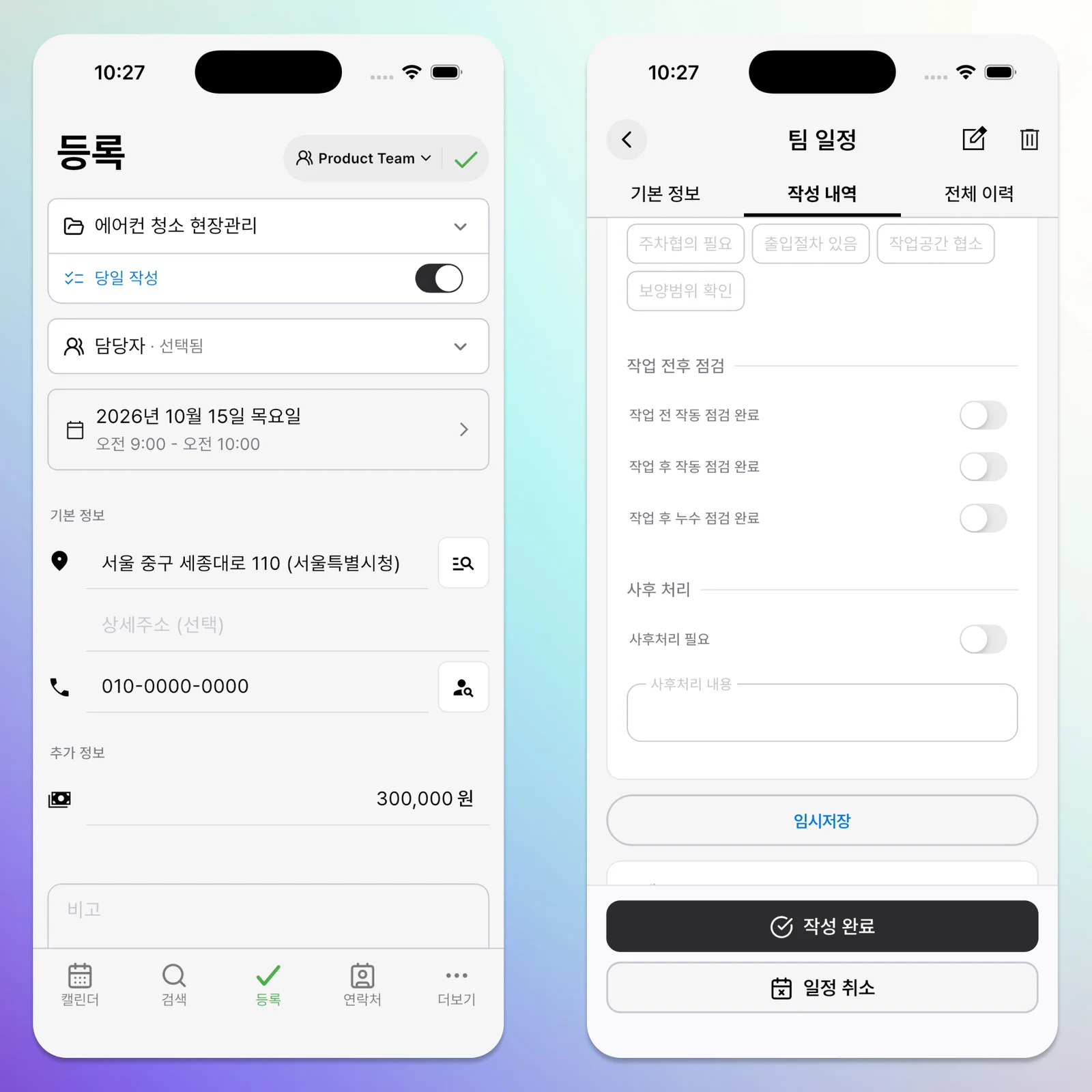
If a return visit is needed, turn on the follow-up toggle and describe the symptoms or work to check next time.
Use Field Service Alongside the Form
Field Service lets you attach before-and-after photos to the event. Photos of the initial condition, removed parts, cleaning results, and reassembled equipment help explain what was done when you review it later. This form organizes information; it does not replace professional cleaning methods or safety procedures.
Import the Shared Form
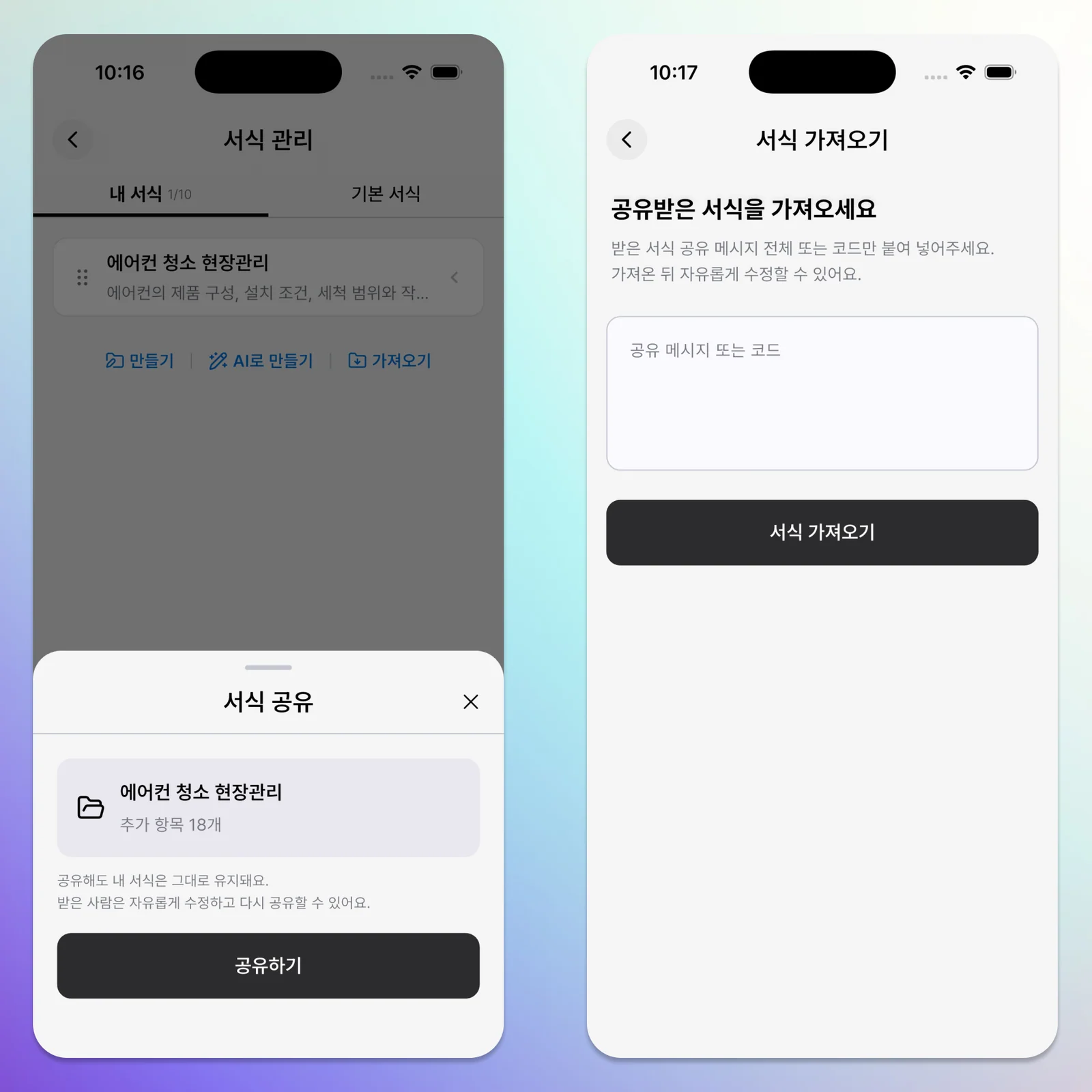
In ILJI, open Forms > Import and paste the code below. Review the imported form, adjust it for the equipment and scope you handle, and add your copy.
ILJI_FORM_V1.dBlJIVin9uZW_aqLWrr3tk-HN2U8bli2Pu89B4h3d3s
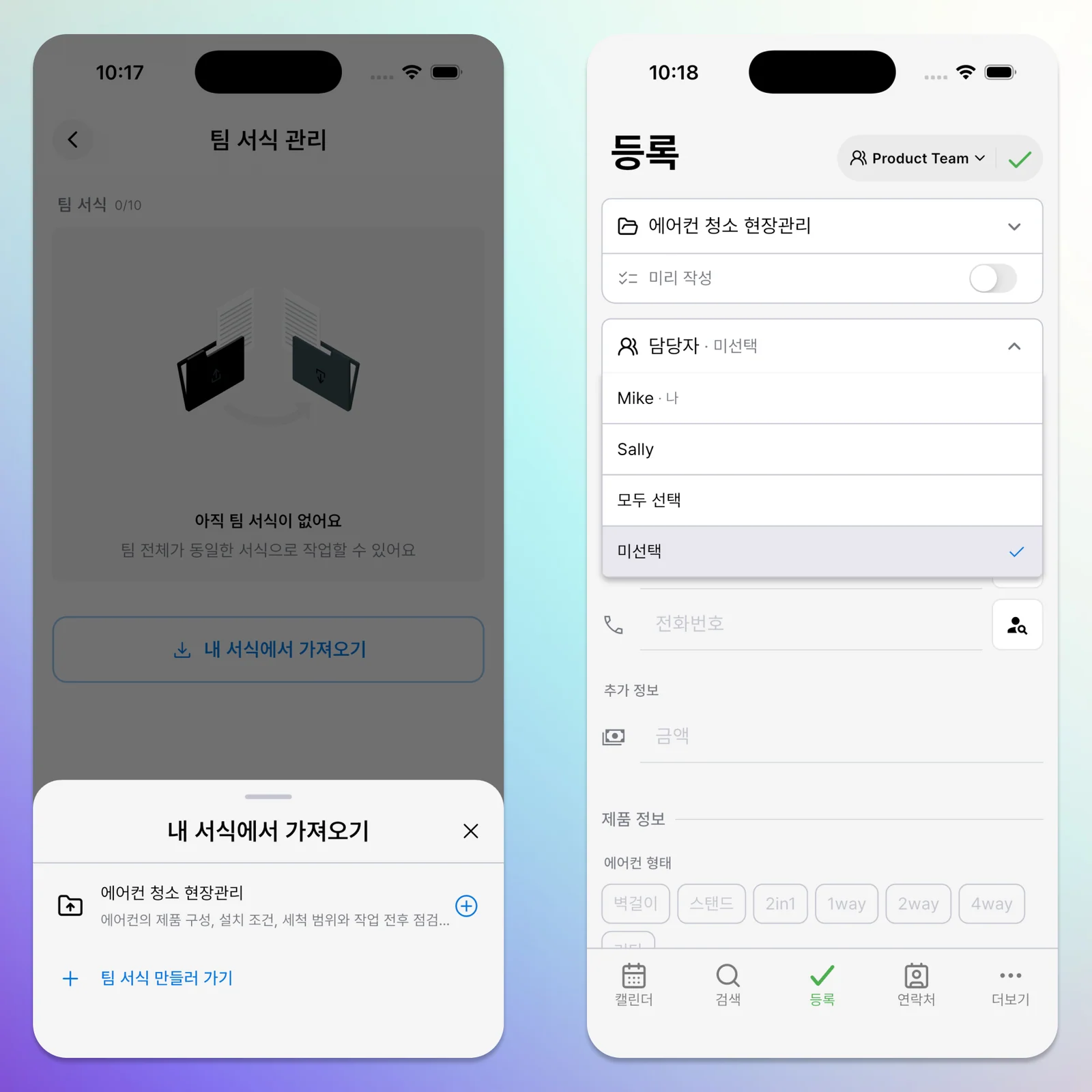
After importing, edit the choices for the equipment and cleaning scope you usually handle.
Preparation differs by equipment and installation conditions. Choosing the details to keep makes it easier to prepare for a visit, record the result, and plan any follow-up consistently. Try making an ILJI form suited to your air conditioner cleaning work.