A move-in cleaning booking often starts with a date and address. But two apartments of similar size may need different preparation depending on whether they are empty or occupied, what is left inside, and whether balconies or exterior windows are included.
Reconfirming scope on arrival can delay the start and create a gap between the customer’s expectation and the actual work. Keep the site conditions agreed before the visit with its date and time.

What to Keep With the Event
Location and floor area alone do not describe the job. Building type, layout, occupancy, extensions, and included tasks affect preparation. Parking and entry arrangements may affect when work can begin.
A Reference Breakdown by Floor Area
- 25 pyeong: 13.0%
- 24 pyeong: 12.0%
- 33 pyeong: 11.1%
- 34 pyeong: 7.9%
- 30 pyeong: 6.0%
These figures are a reference summary of 2026 move-in cleaning data, not an estimate of the whole market. The source data’s sample size and collection scope are not specified in the article.
Keep the information that will be checked from the first customer call through the end of the clean. If the workers are known, assign them to the event rather than recreating their names or the headcount as extra fields.
Use the Basic Event Fields
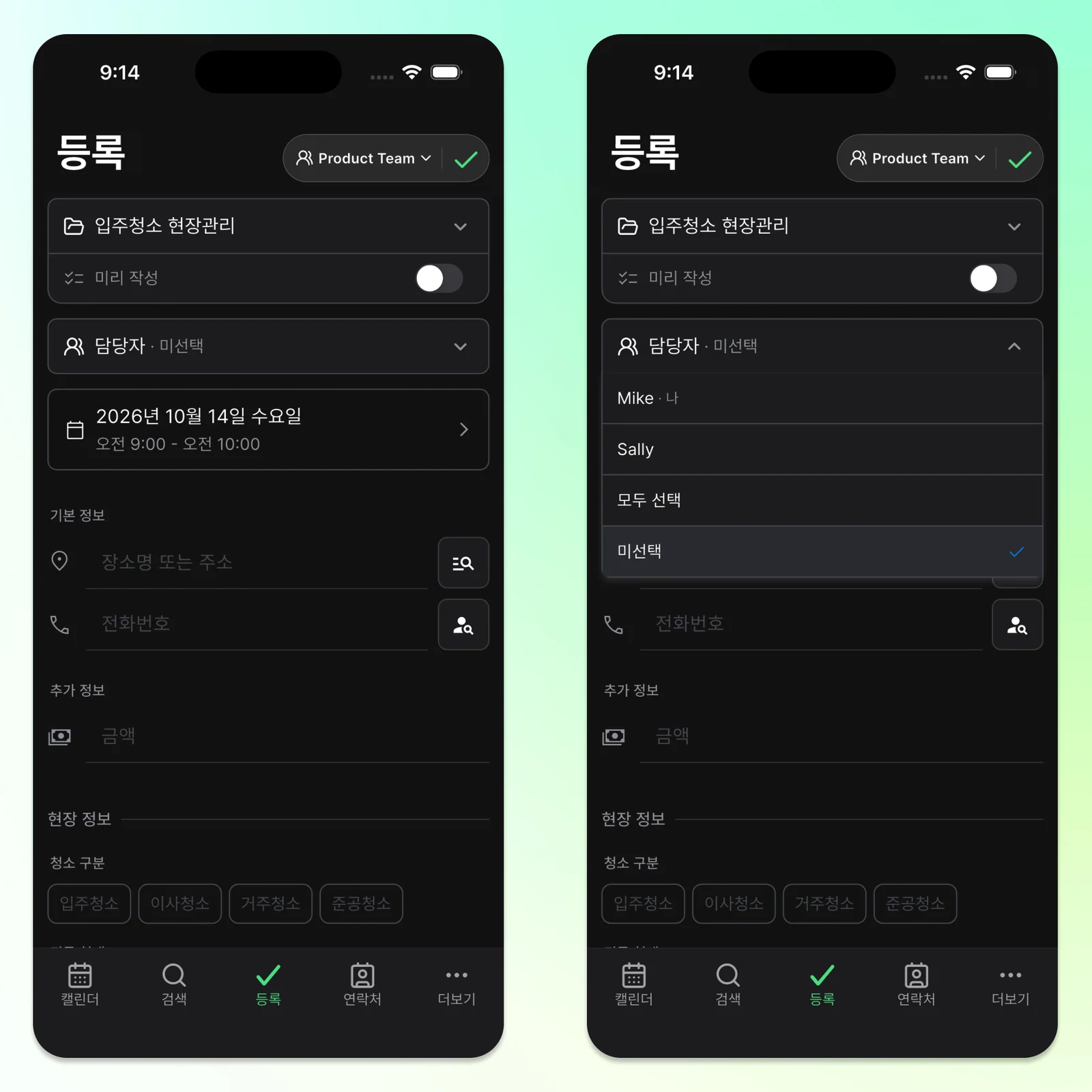
ILJI already has a name, phone, email, location, date and time, and amount. Use the built-in amount for the agreed job price, and choose assignees for a team event. Add only the conditions that vary from one cleaning site to another.
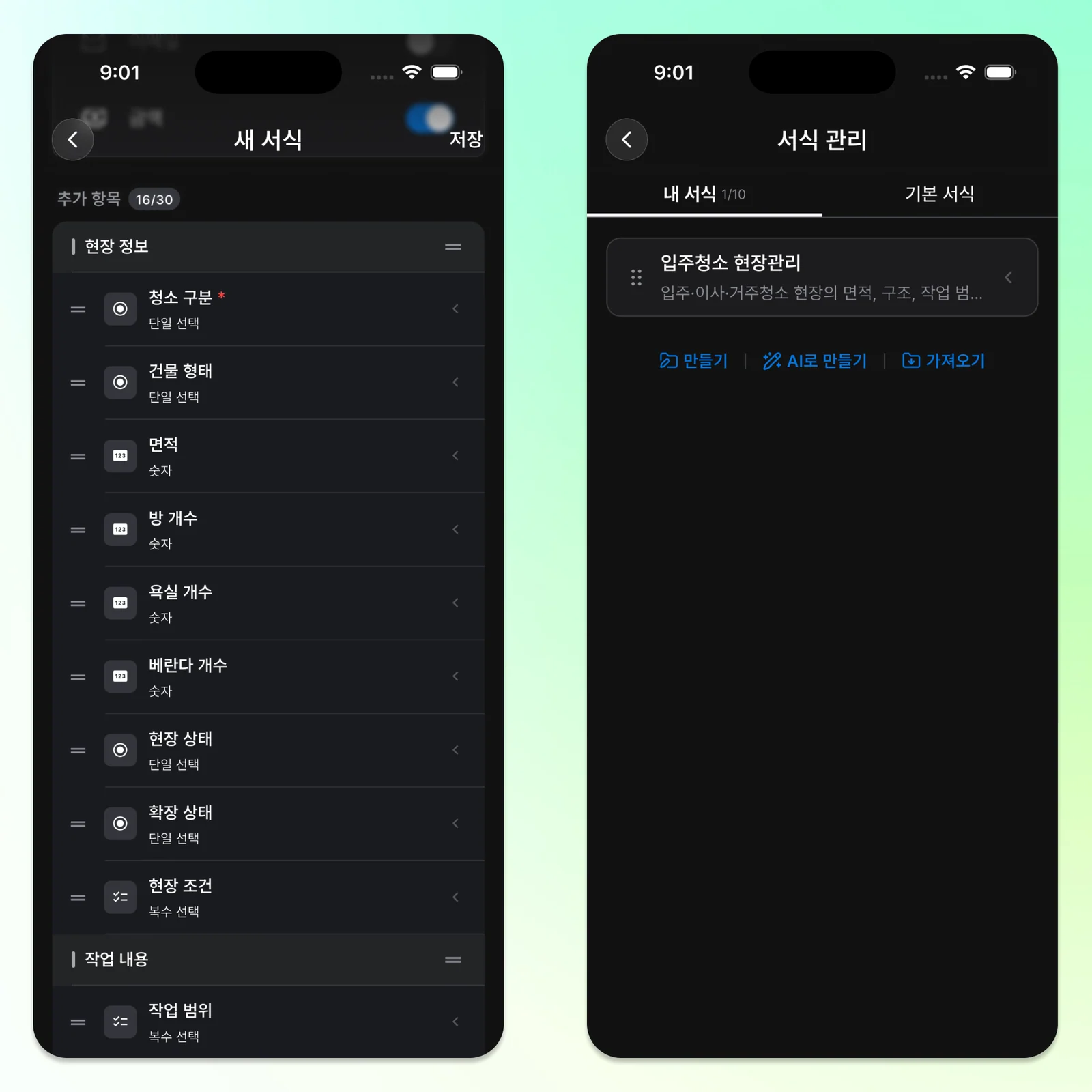
Move-In Cleaning Form Structure
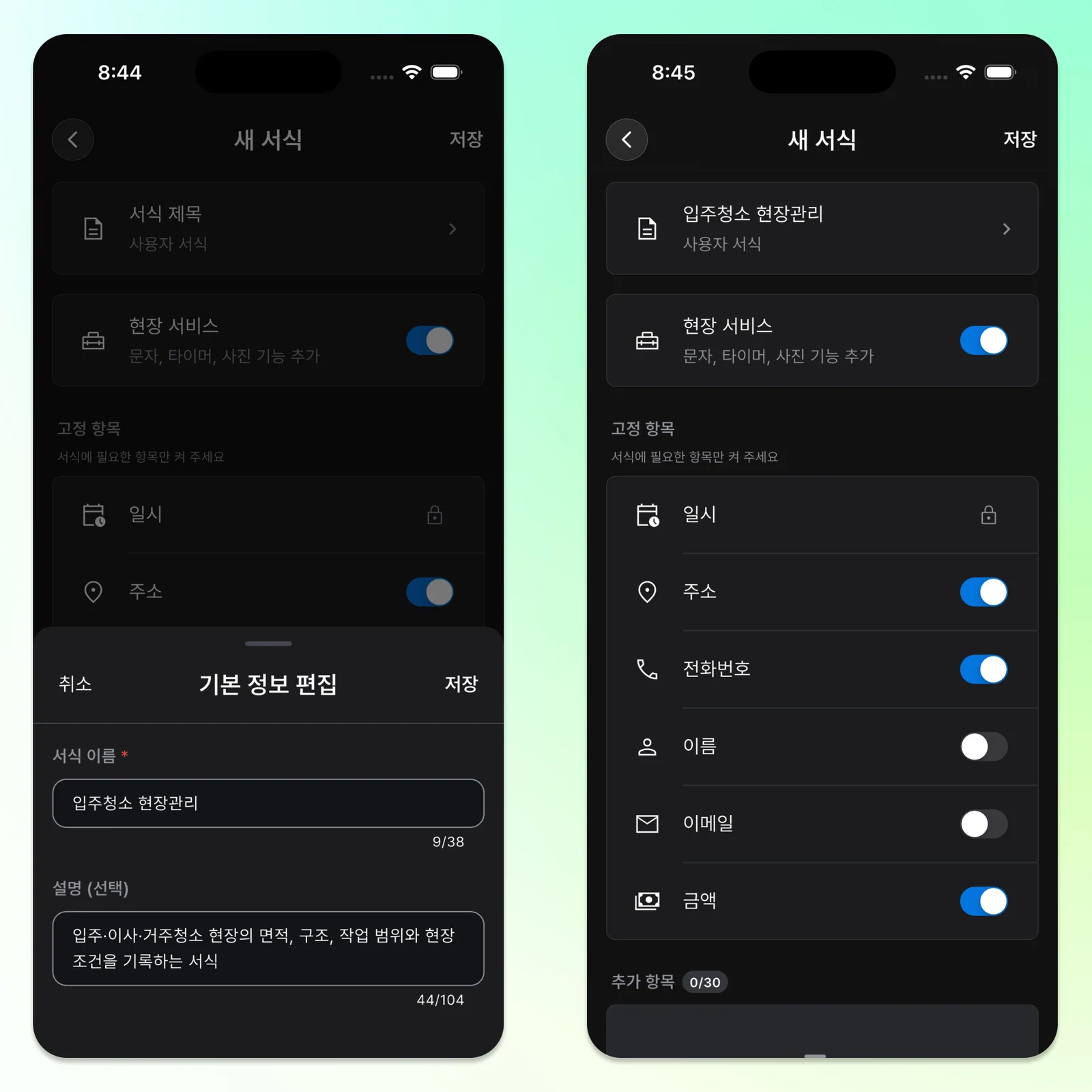
- Form name: Move-In Cleaning
- Description: Floor area, layout, agreed scope, and conditions for move-in, moving, or occupied-home cleaning
- Basic fields: name, phone, location, and amount on; email only when needed
- Field Service: on
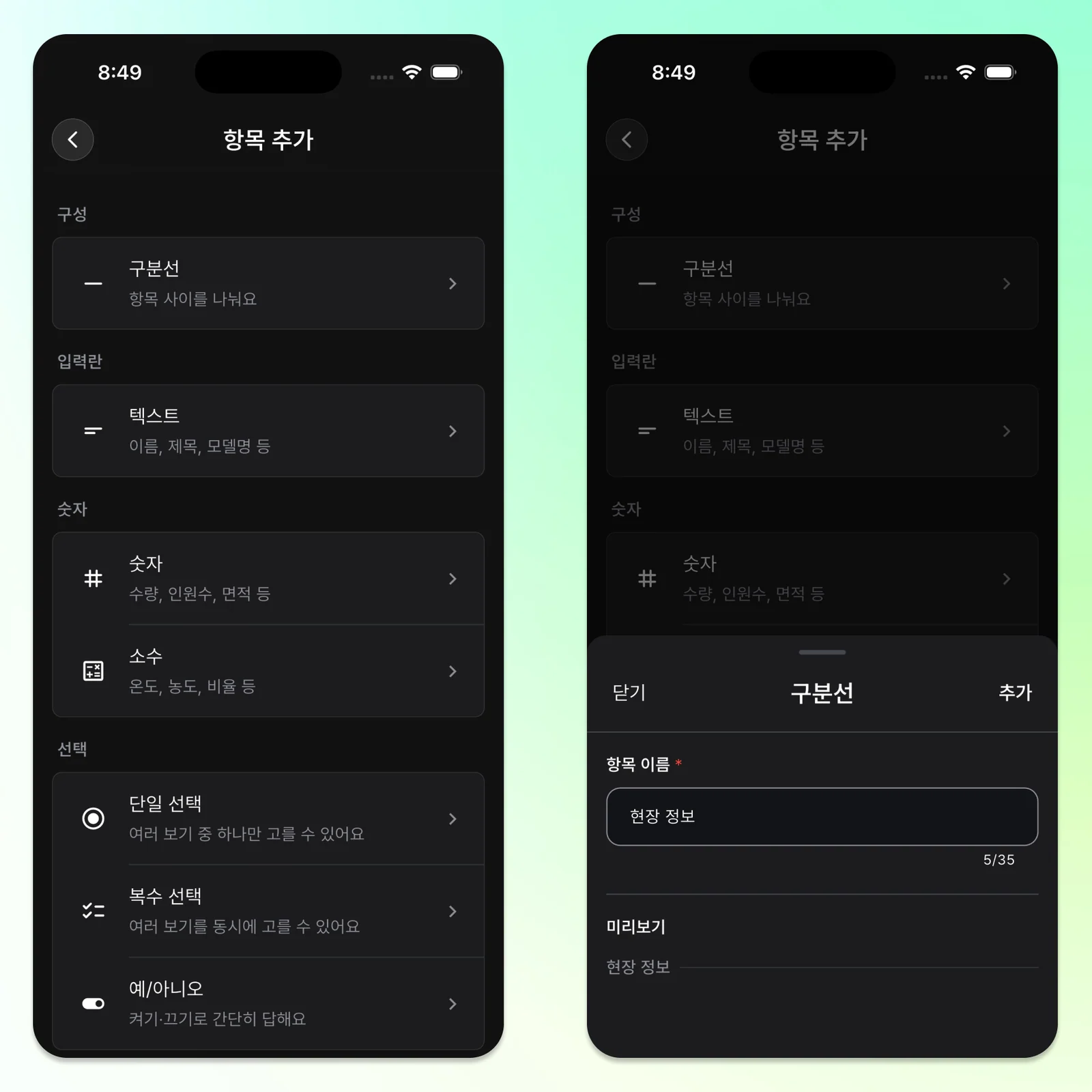
Use section dividers for property details, work, and follow-up. A divider separates fields visually; it does not store an answer.
Property Details
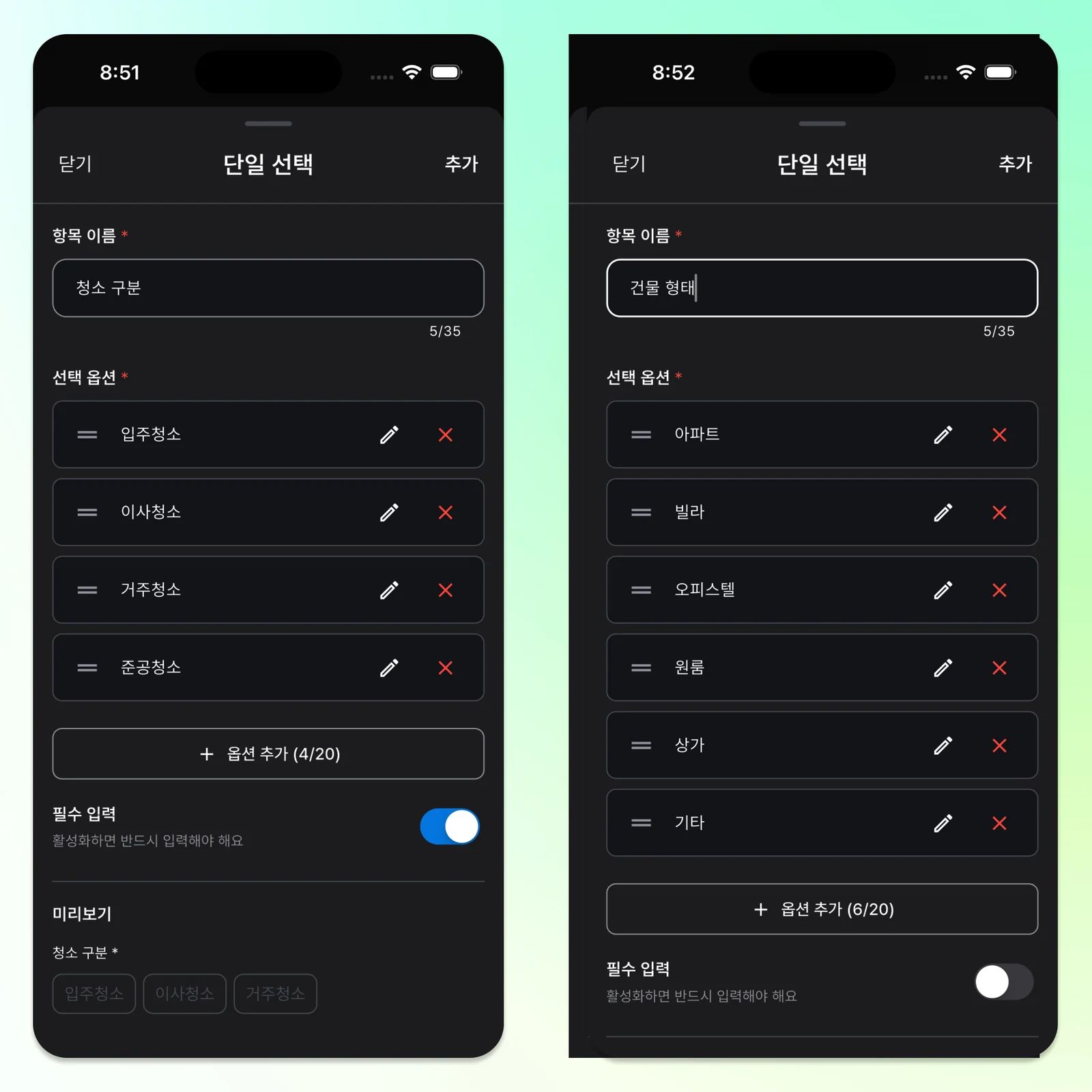
- Cleaning type / single choice: move-in, moving, occupied home, post-construction
- Building type / single choice: apartment, low-rise multi-unit home, officetel, studio, commercial premises, other
- Floor area / number: use pyeong as the unit in this example
- Layout / text: for example, three rooms, two bathrooms, one balcony
- Occupancy / single choice: vacant, belongings remaining, occupied
- Extension status / single choice: none, partial, full, needs checking
- Site conditions / multiple choice: parking arrangement needed, no elevator, entry procedure, waste present, belongings remaining
Agreed Work
- Scope / multiple choice: interior windows, exterior windows, balcony, built-in storage, kitchen cabinets, appliance interiors, sticker removal
- Additional work / multiple choice: bathroom grout, entrance grout, balcony grout, other
Follow-Up
- Follow-up needed / on-off toggle
- Follow-up details / text: why another visit is needed and what should be handled
Work Areas Are Not the Same as Assignees
Kitchen, bathroom, and balcony are areas the workers may divide between them. Assign the people to the team event and put any area allocation in a short note.
- Worker A: kitchen and storage
- Worker B: bathroom and balcony
- Worker C: window frames, floors, and final checks
This form is not a repeating-row payroll or settlement sheet. It connects the confirmed site conditions and scope with the event.
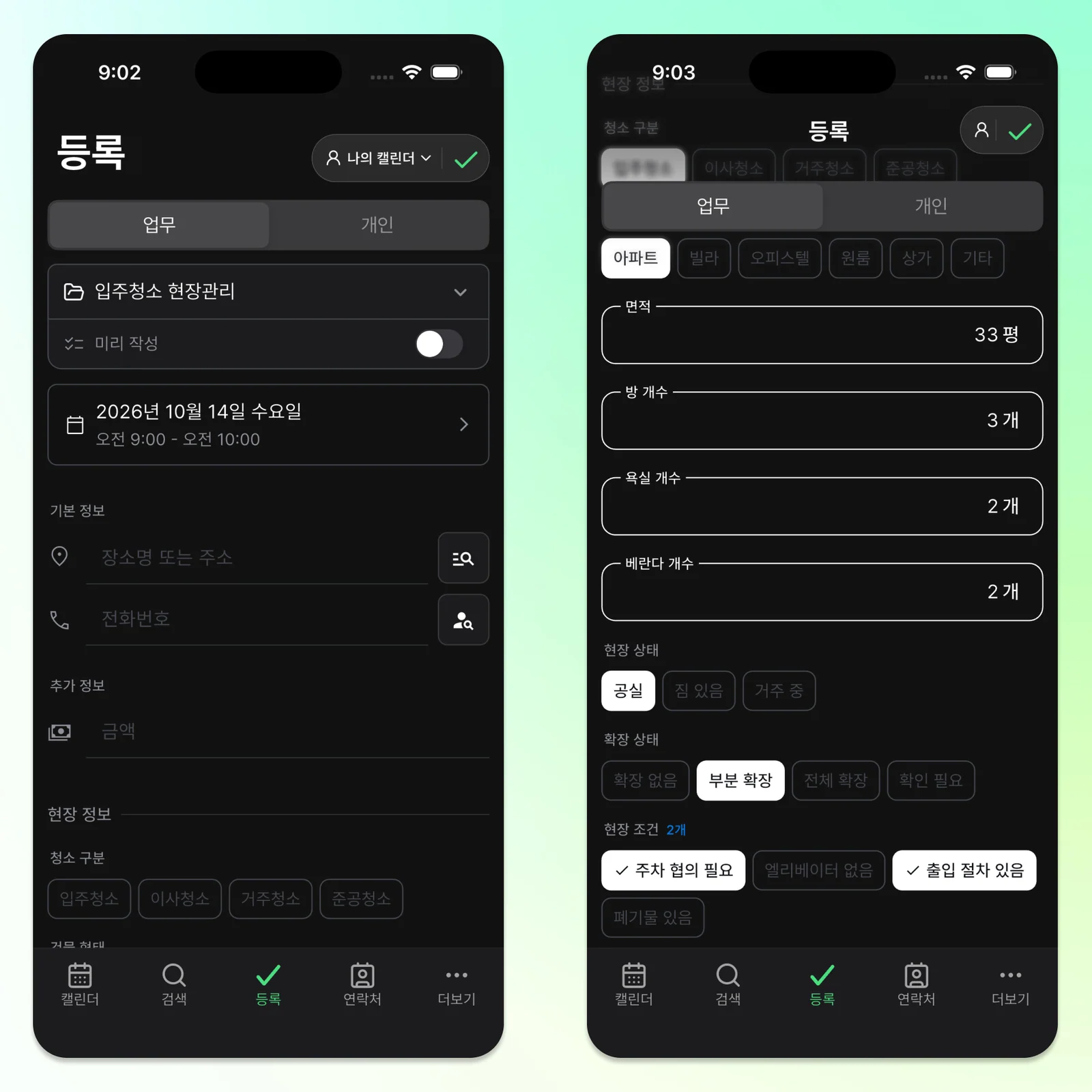
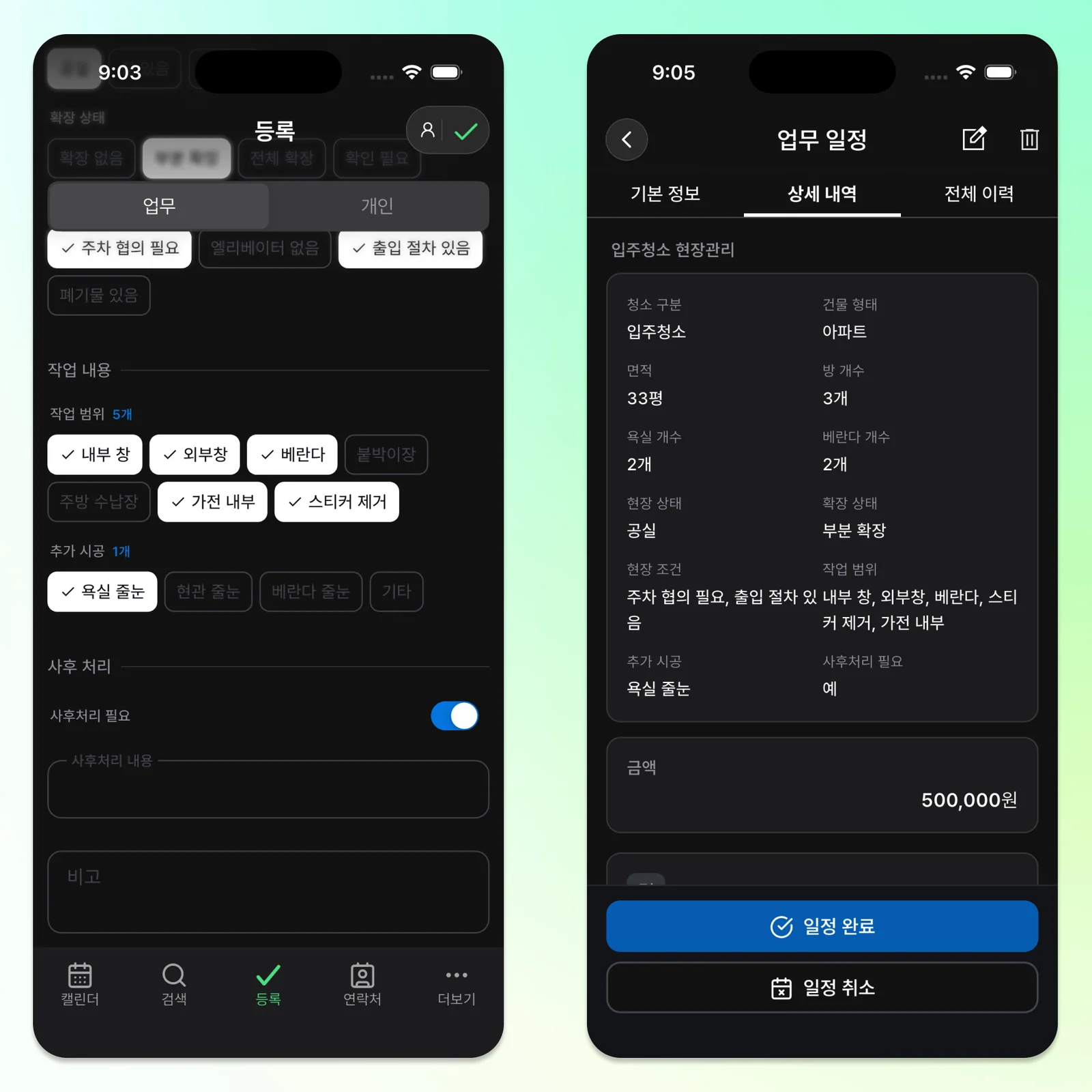
Consider a booked 32-pyeong apartment. Enter the customer contact, date and time, location, and agreed amount in the event. In the form, enter apartment, 32 pyeong, three rooms and two bathrooms, vacant, and partly extended.
Select exterior windows and built-in storage in the scope, and bathroom grout work if agreed. Note any parking registration and assign the workers if this is a team event. Pyeong is the Korean floor-area unit used in this example.
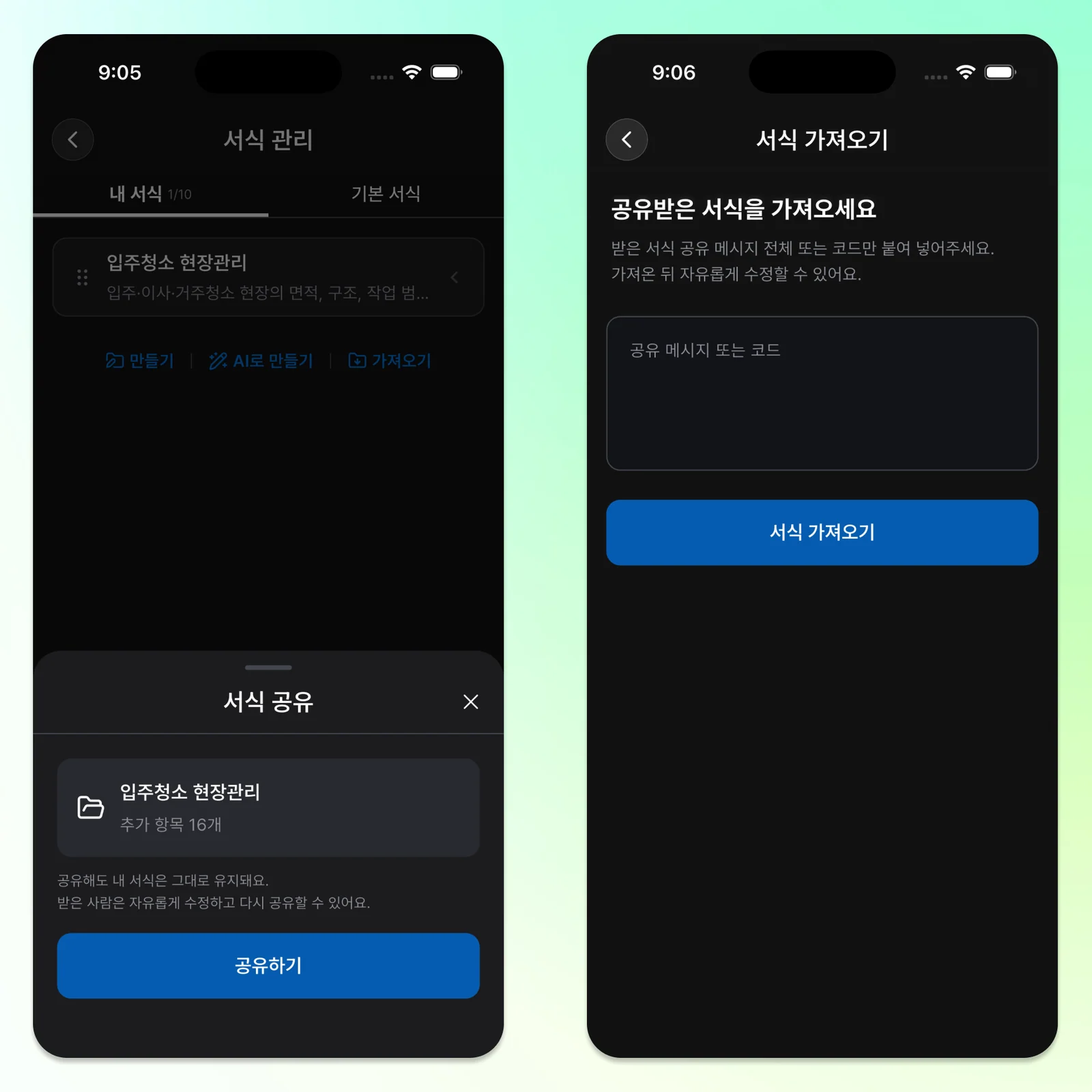
Import the Shared Form
In ILJI, open Forms > Import and paste the code below. Review the imported form, adapt it for your sites, and add your copy.
ILJI_FORM_V1.n3FBDppjD7gS-hMOEuXyfDqoG9racJ1v--yFq77tUh0
With Field Service enabled, keep before-and-after photos and work entries with the same event. If an issue appears after completion, note whether a follow-up is needed and what should be checked on the next visit.
Start With What You Need
The aim is not to create as many fields as possible. Keep information that can be checked when booking and is worth returning to on site.
Start with the floor area, layout, included work, and access conditions that differ between sites. Add fields later when a useful detail is repeatedly missed. Try the Move-In Cleaning form in ILJI on the next event.