Before a workout, you may want to check how many sets you did for your chest last week.
Without a note of the weight and repetitions, exact numbers are hard to recall. Personal trainers also have different results and next-session checks for each client. One ILJI event can hold the entry for that workout. Choose the fields you need whether you train on your own or lead personal training sessions.
Choose What You Want to Keep in a Workout Log
Longer is not automatically better. Start with what you want to look back at next time: date, muscle group, intensity, sets, and repetitions may be enough. Add weight or a condition note if useful, and remove what is not.
The pictured example uses a three-day split: chest, shoulders and triceps; back and biceps; and legs. It is an example, not a required routine. A full-body workout would use different choices; walking might need duration or distance rather than sets.
Start With an AI Draft or Build the Form Yourself
Describe what you want to track, such as “I want a three-day split workout log with muscle groups, intensity, and weight.” AI proposes a structure that you review, edit, and save. A request does not automatically register a finished form.
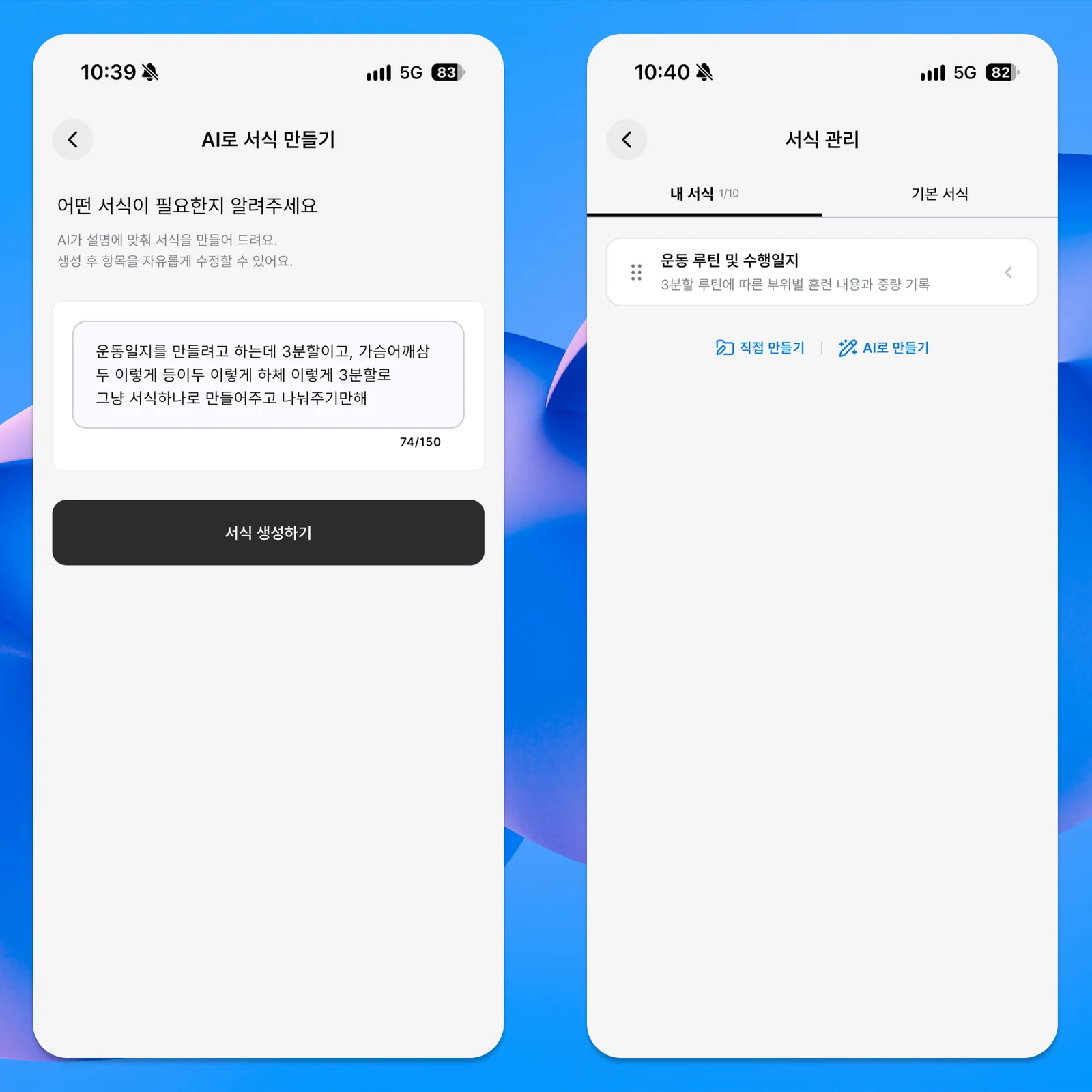
The example includes routine type, intensity, total sets, average repetitions, and main exercise weight.
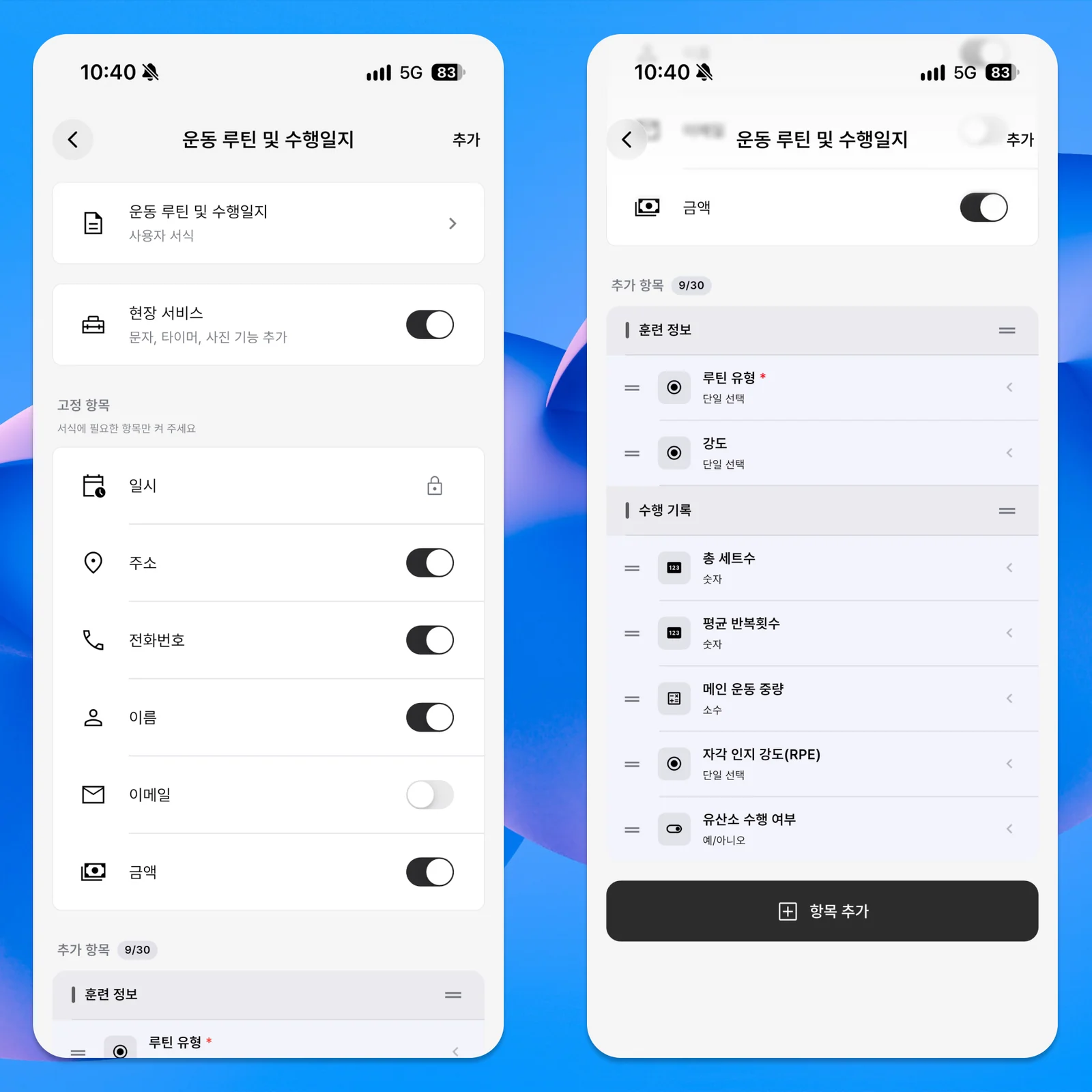
Choose different input types for each field, such as choices for muscle groups and numbers for weights. RPE is a rating of how hard the exercise felt. Leave it out if it is not useful to you. Repeated answers work well as choices; changing weights or repetitions work well as numbers.
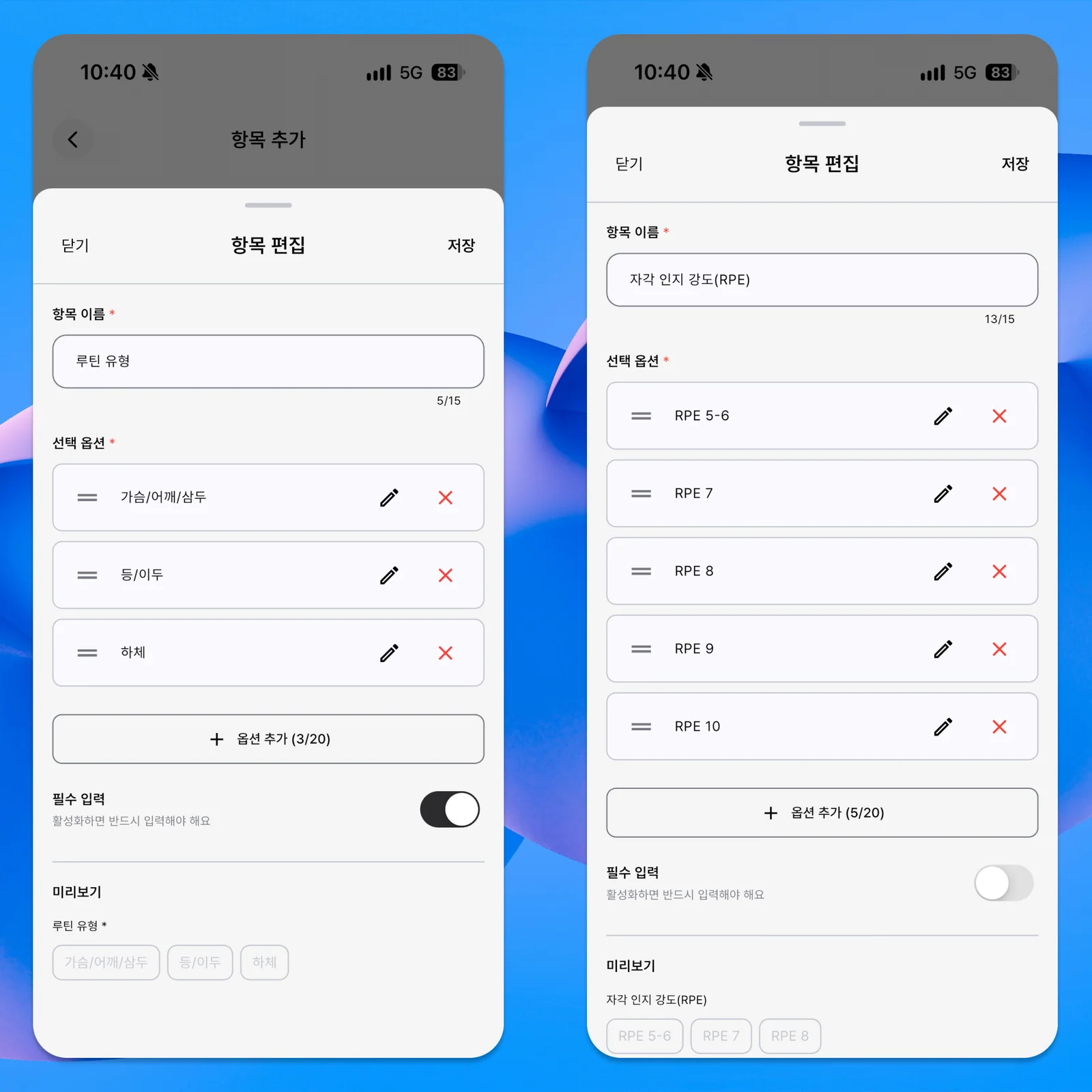
You can also create a form yourself without AI. A draft may help you start, while building directly becomes easier when you know the fields you use. Either route should leave you with a simple form you can realistically fill in.
For Your Own Workouts, Leave Out Names and Amounts
The example also shows basic fields such as name, phone, and amount. A training appointment may need a client’s name or contact information, but your own workout does not need your name and a price every time.
Keep the date and time, turn off unnecessary basic fields, and focus on the workout. Do not make every answer required: muscle group might be essential each time, while a condition note can remain optional. A quick entry is easier to return to next session.
Add Actual Results to the Workout Event
After saving the form, choose a workout date and time. The example books one hour using the new fields. For a lesson, a client’s name can identify the session; a personal workout can leave that field off.
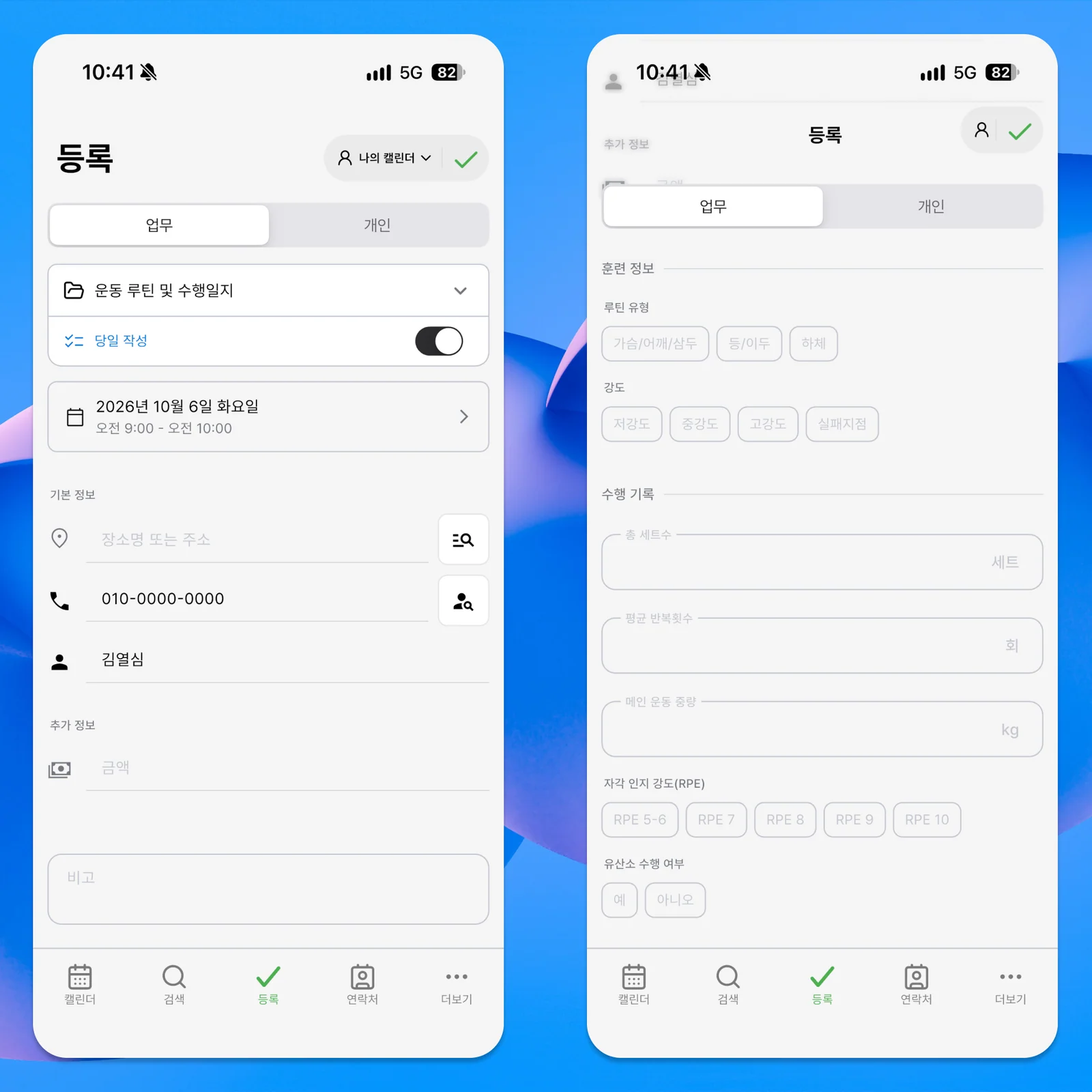
You do not need to know every result in advance. Choose the intended workout or goal, then enter actual sets and repetitions afterward. The event holds the date and time, and its entry holds what you performed for later review.
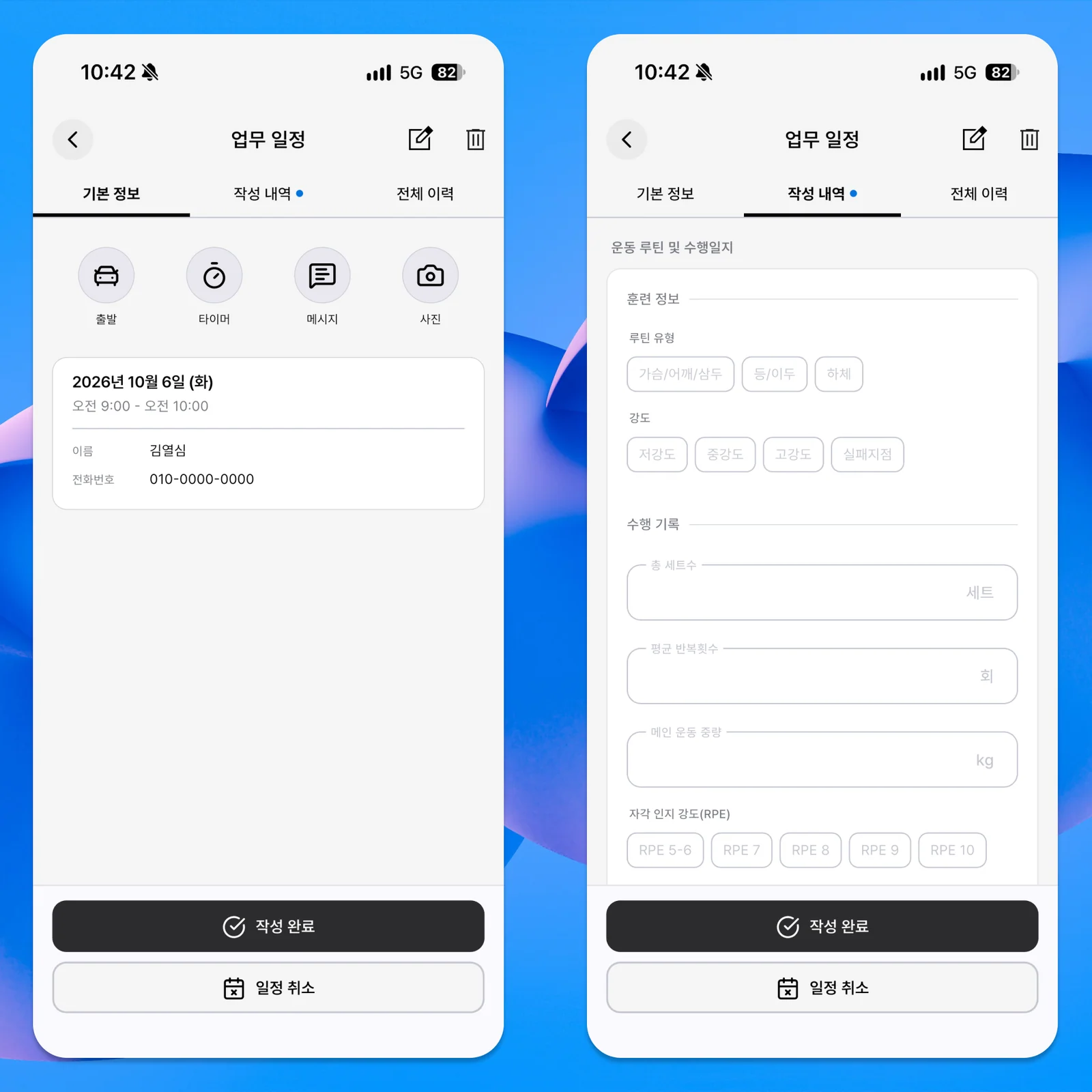
Use the Timer When Duration Is Useful
The pictured example enables Field Service in the form to make the timer available.
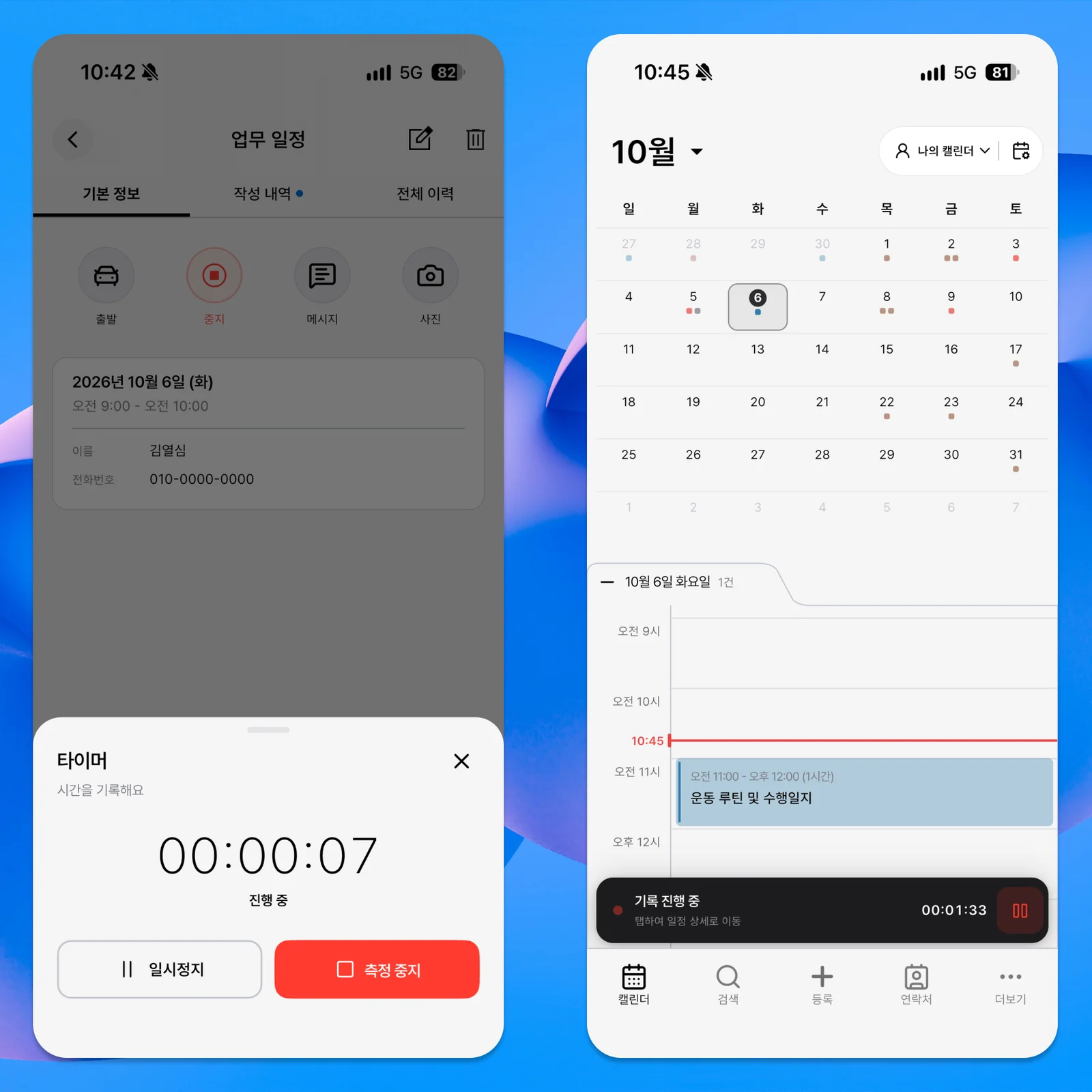
Start timing when you begin and save it when finished to keep the duration with the entry. Before-and-after photo attachment areas are also visible, but no actual workout photos were added in this example.
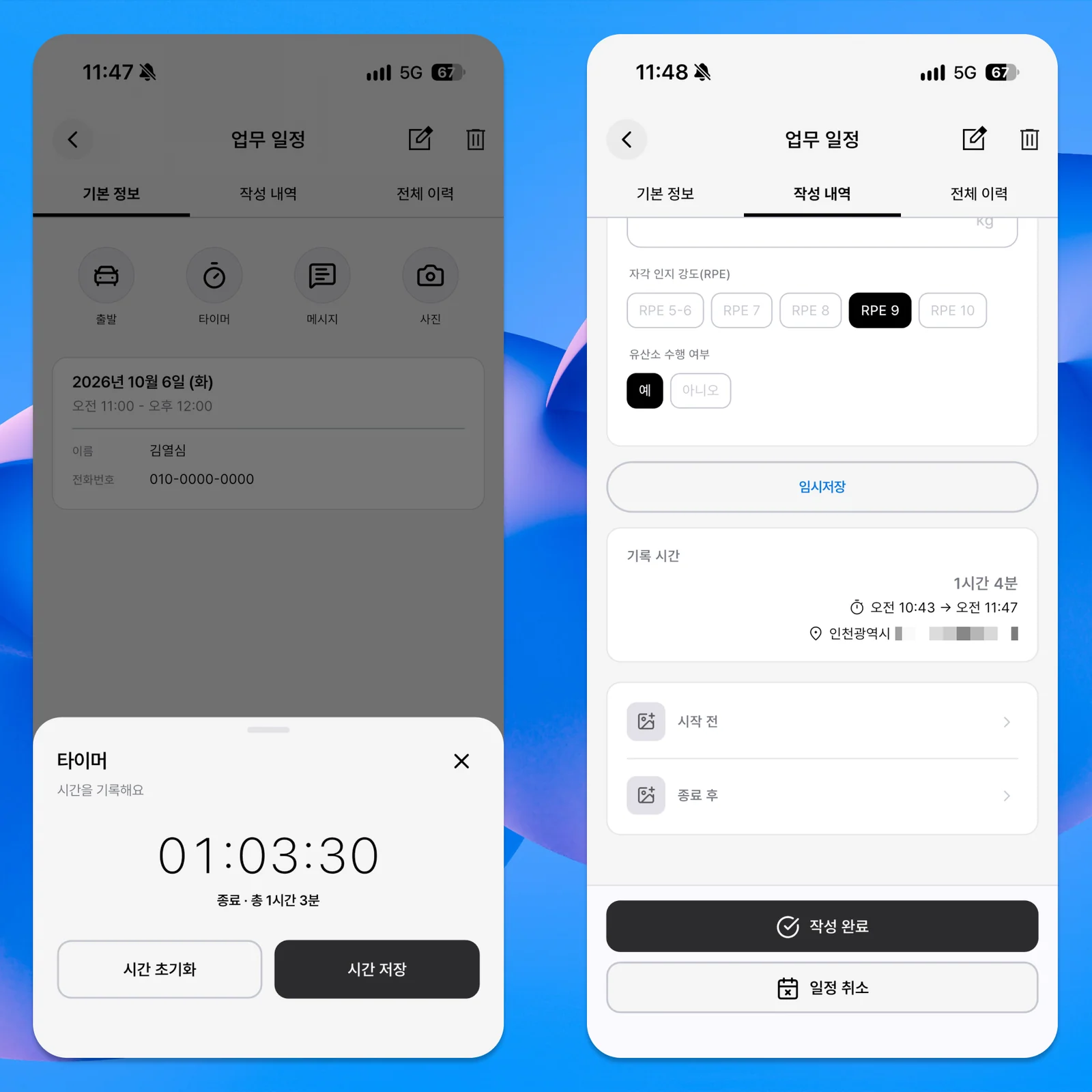
If time and photos are unnecessary, leave Field Service off and use only the workout fields. A timer does not assess workout quality: rest time and pauses affect its result. Treat duration as one piece of information when comparing sessions.
Use the Same Approach for PT Sessions or Personal Workouts
A trainer can identify the client in the event and keep the muscle groups, intensity, sets, and repetitions performed that day. Before the next session, review the previous weight, repetitions, and notes. Create a separate event for each client session and fill in the result after it ends.
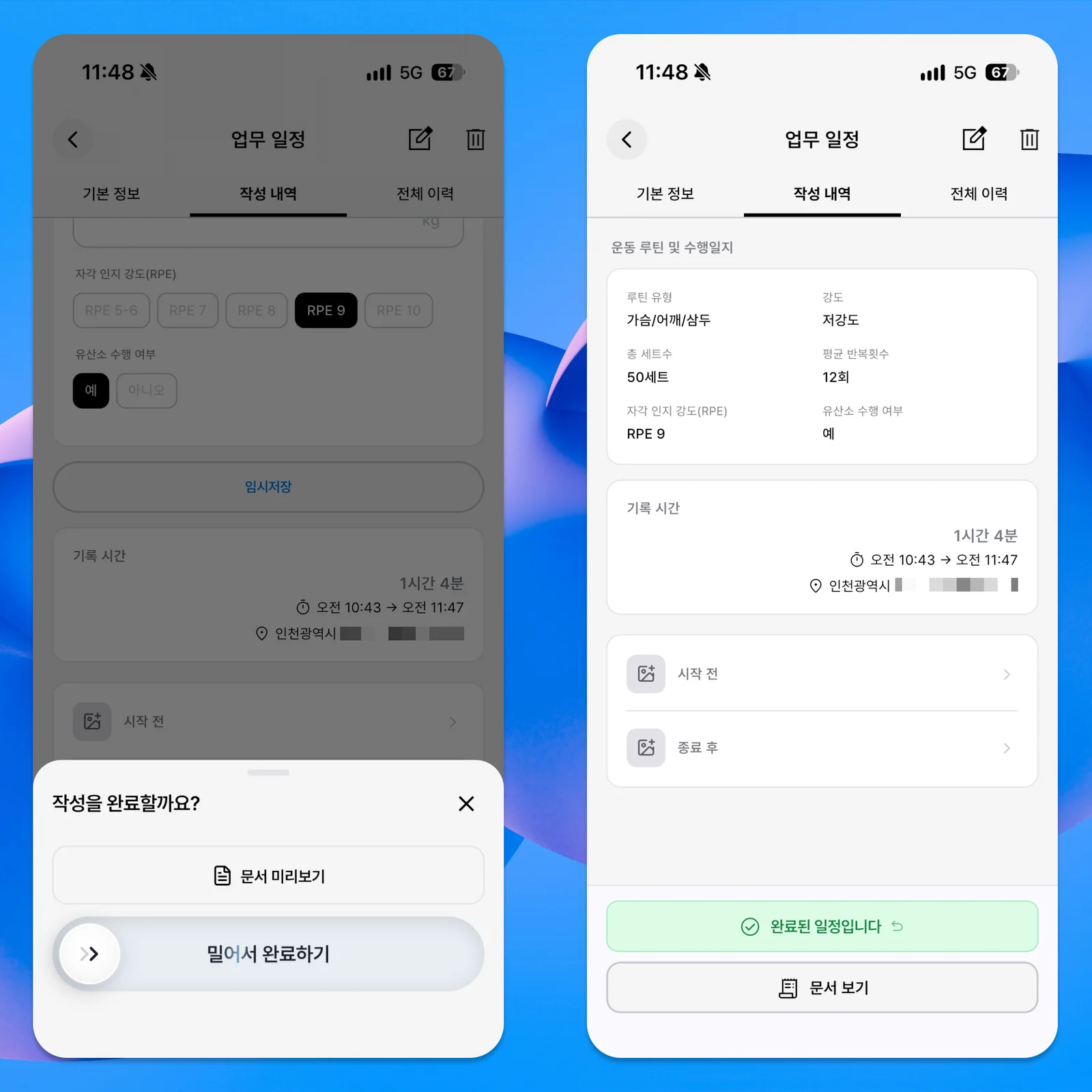
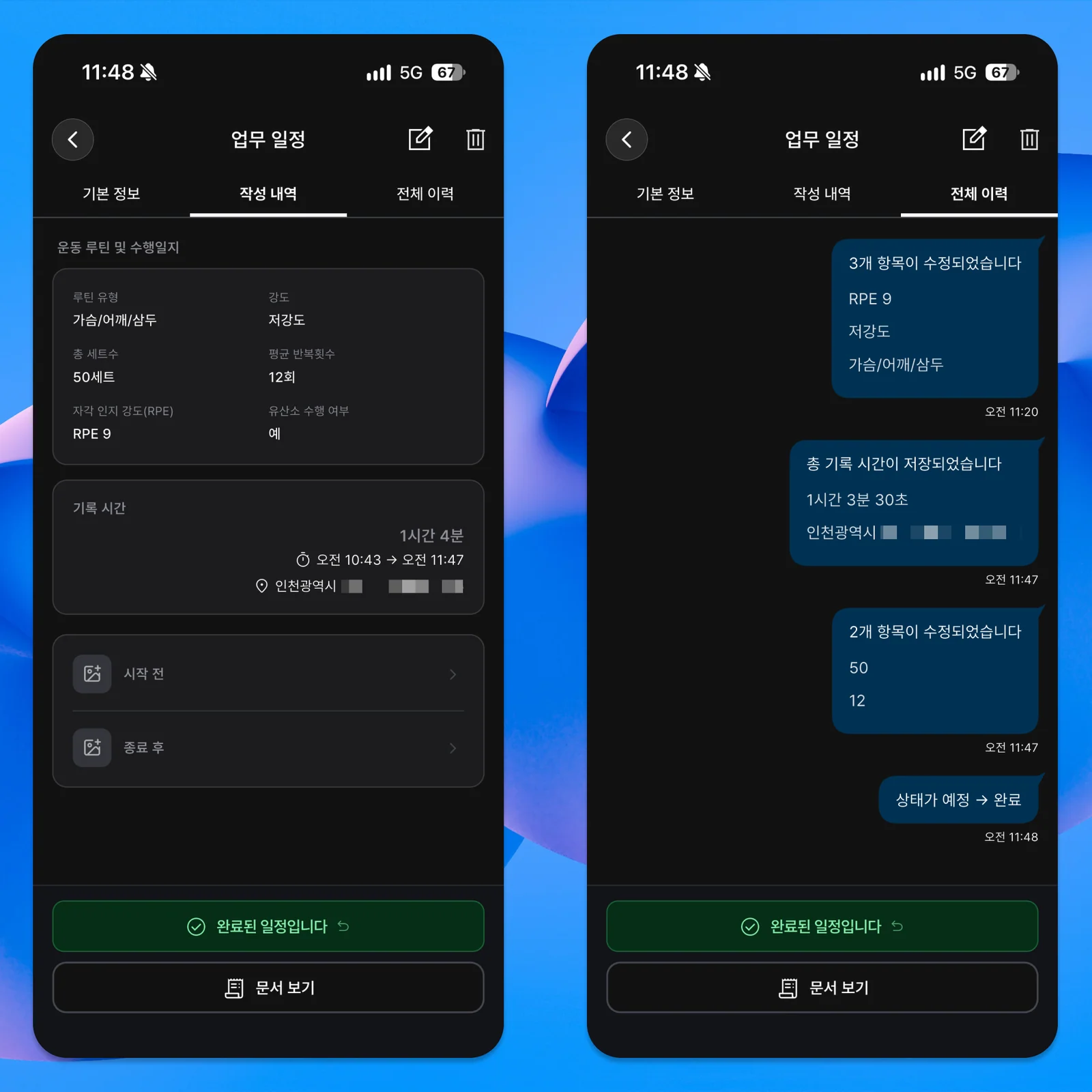
The example shows one client’s event being added and completed, with edits and saved time in its history. The numbers illustrate how to log a session; the screen does not analyze multiple clients automatically or prescribe exercise.
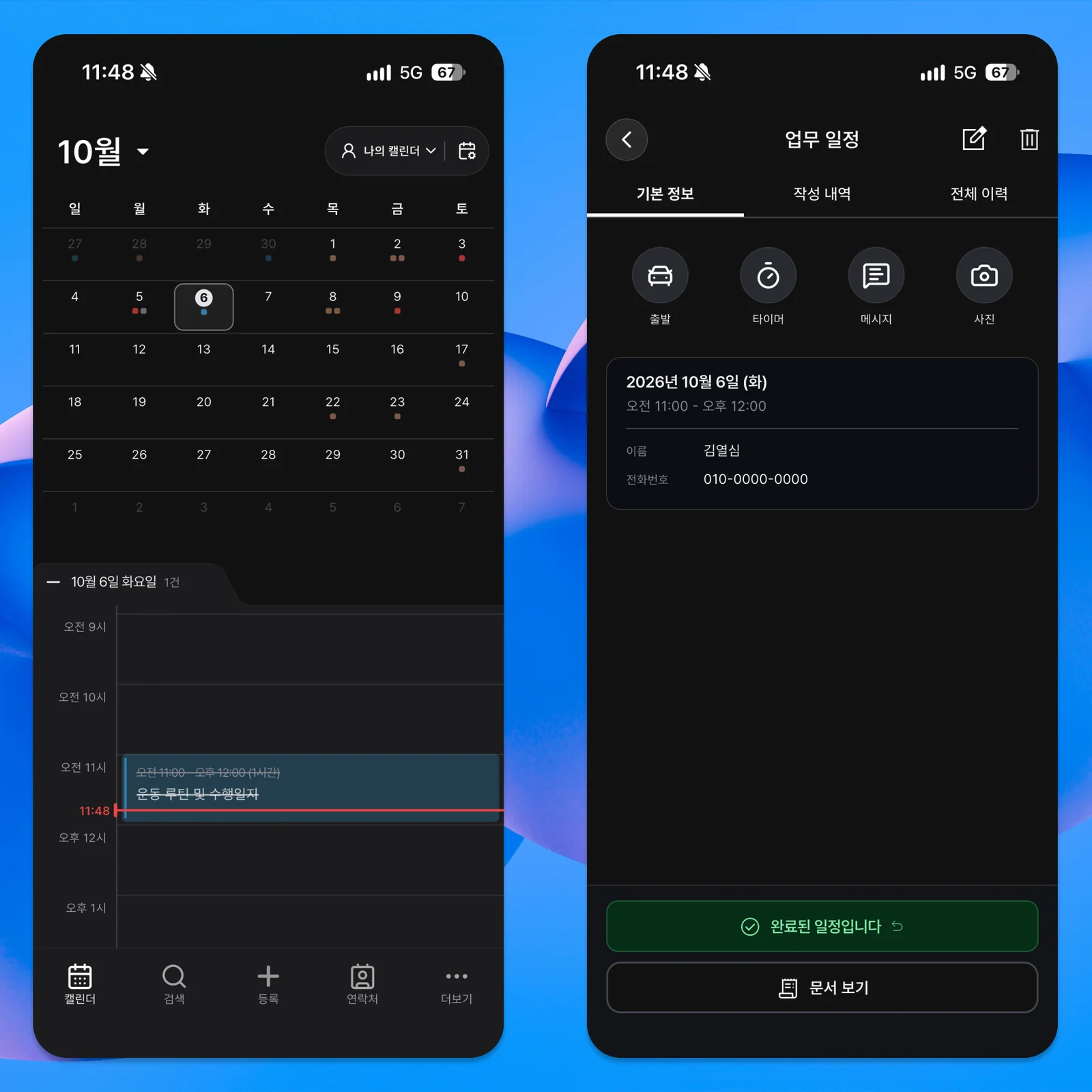
Your own log can be simpler still: muscle group, intensity, a squat weight, and an occasional note may be enough. Deciding whether to keep a weight or reduce volume is the person’s judgment, not the app’s. Open the previous workout date to review the numbers you entered.
Do not try to design a perfect workout log at the start. Try one routine first.
After one or two sessions, add anything missing and remove fields you keep leaving empty. A log that gives you something useful to check next time already serves its purpose, whether it is for your own training or a PT session.