Even when you know the job well, a busy day can make you skip a routine check.
A checklist is not only for someone learning the job. It preserves the order of checks needed to finish work to the same standard.
1. Turn Actions into Checklist Items
Checklist items work best when completion is unambiguous.
For example:
- Check the supplies
- Check the equipment power
- Finish briefing the participants
- Photograph the result
- Give the final explanation
It is better to write down what you actually need to check rather than a word with a broad meaning like ‘status.’
2. Use Additional Fields for Values
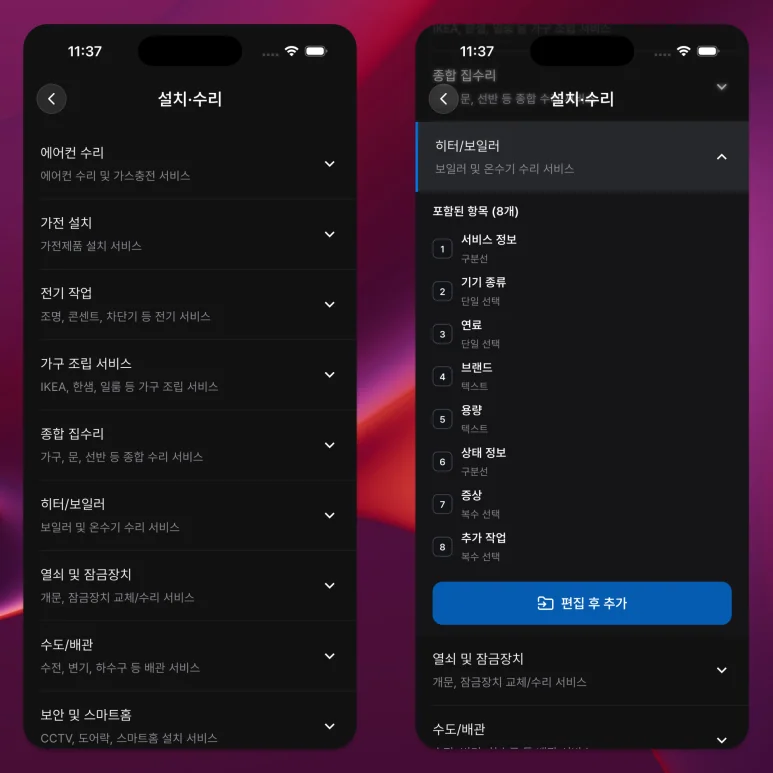
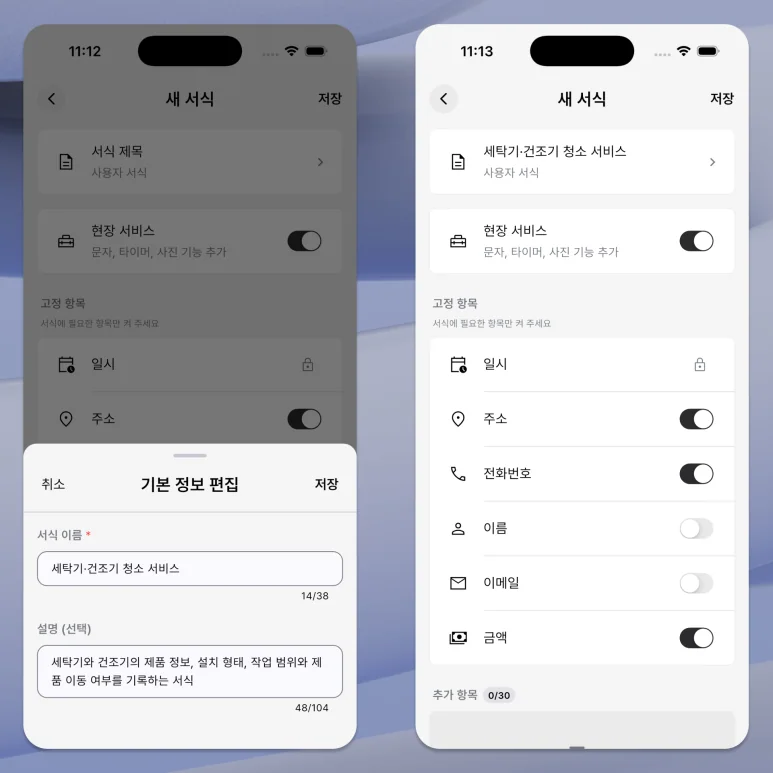
For information that is difficult to explain with just checks, use additional items in the work form.
Use a text field for a written answer, a number field for quantities or measurements, and a choice field for one answer from a fixed set.
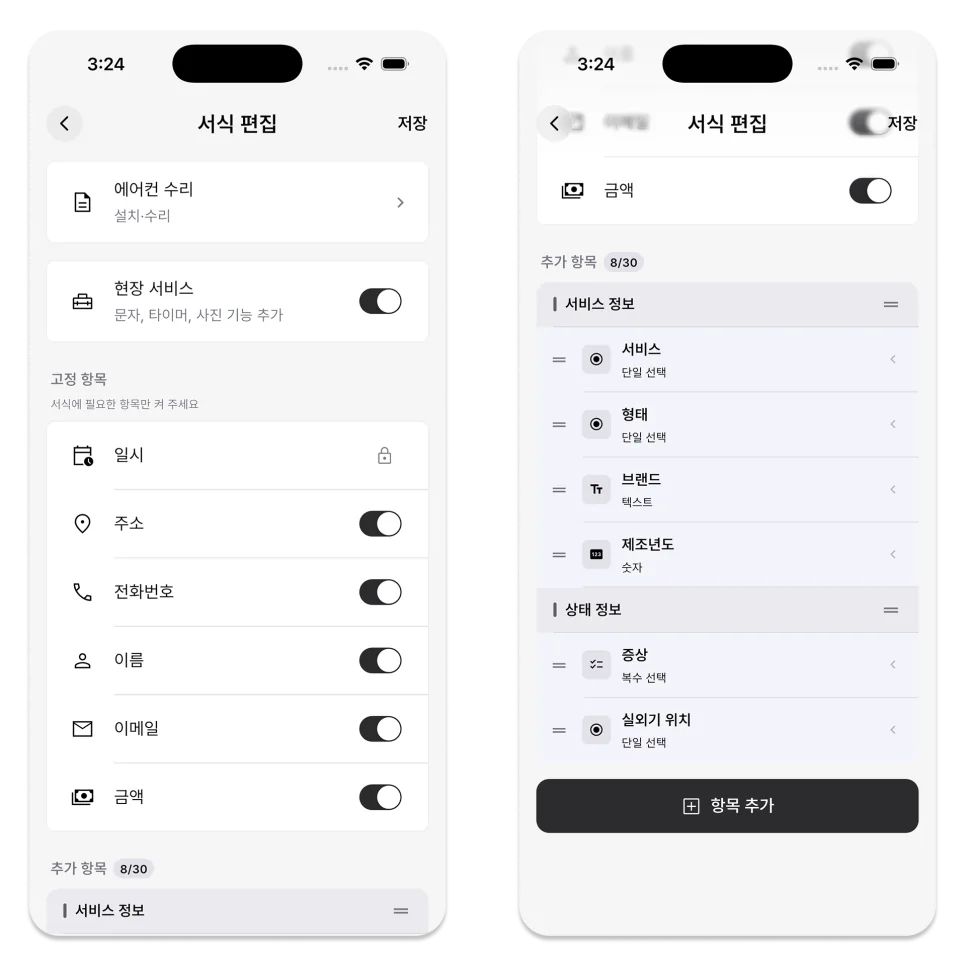
For example, confirming ‘No issues’ is different from recording a measured value of 24.
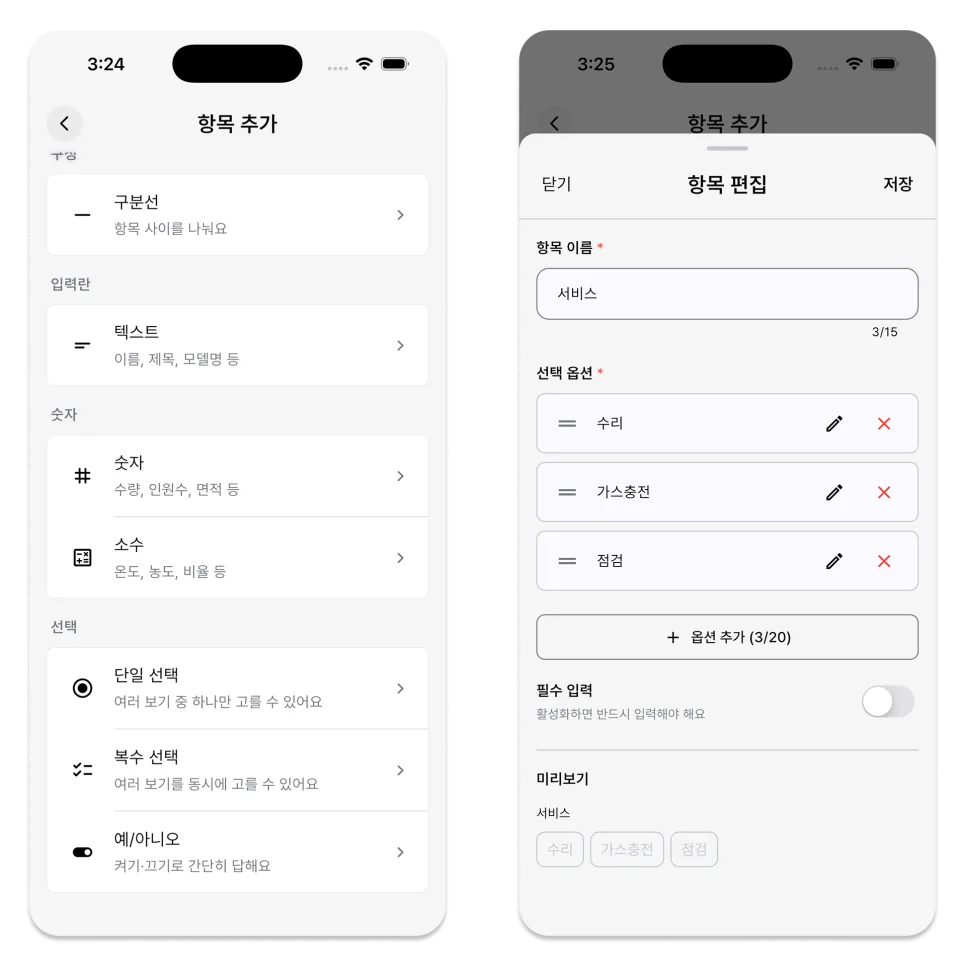
3. Require Only What Affects the Result
A field marked Required must be filled before the schedule can be completed.
Use Required only for content where missing results would be difficult to determine or would prevent you from proceeding to the next step.
If reference notes are also required, people may enter placeholder values simply to finish.
4. Record Information While You Work
It is more accurate to enter information right when you check it, rather than remembering and writing it down all at once after work is over.
On the schedule details screen, you can click the checklist and fill in additional items specified in the form.
Before pressing the Done button, check again to make sure there are no incomplete checks or empty required fields.

5. Take Care When Changing the Form on an Existing Schedule
The custom fields on a schedule come from the work form selected when that schedule was created.
If you change from an already recorded work schedule to a different format, the checklist and input information in the existing format may be reset.
Review the existing record and the confirmation message before changing the form.
There is no rule that says the shorter the checklist, the better.
The number of items is not what matters. Each item should lead to a real action or a useful decision.
In the ILJI task form, enter confirmation items that are frequently omitted in the next task, and after using it once, remove unnecessary items.