A doctor’s appointment and an on-site inspection can share the same calendar. What you need to review later is different.
When adding a schedule, the line between Personal and Work may not be obvious.
The answer is not simply ‘work goes under Work and everything else goes under Personal.’
A solo errand can still be work, while some work-related appointments need nothing beyond a time and place.
What separates your personal schedule from your work schedule is not the importance of the schedule.
The useful distinction is what the schedule needs to record and how that record will be used later.

1. When a Title and Time Are Enough
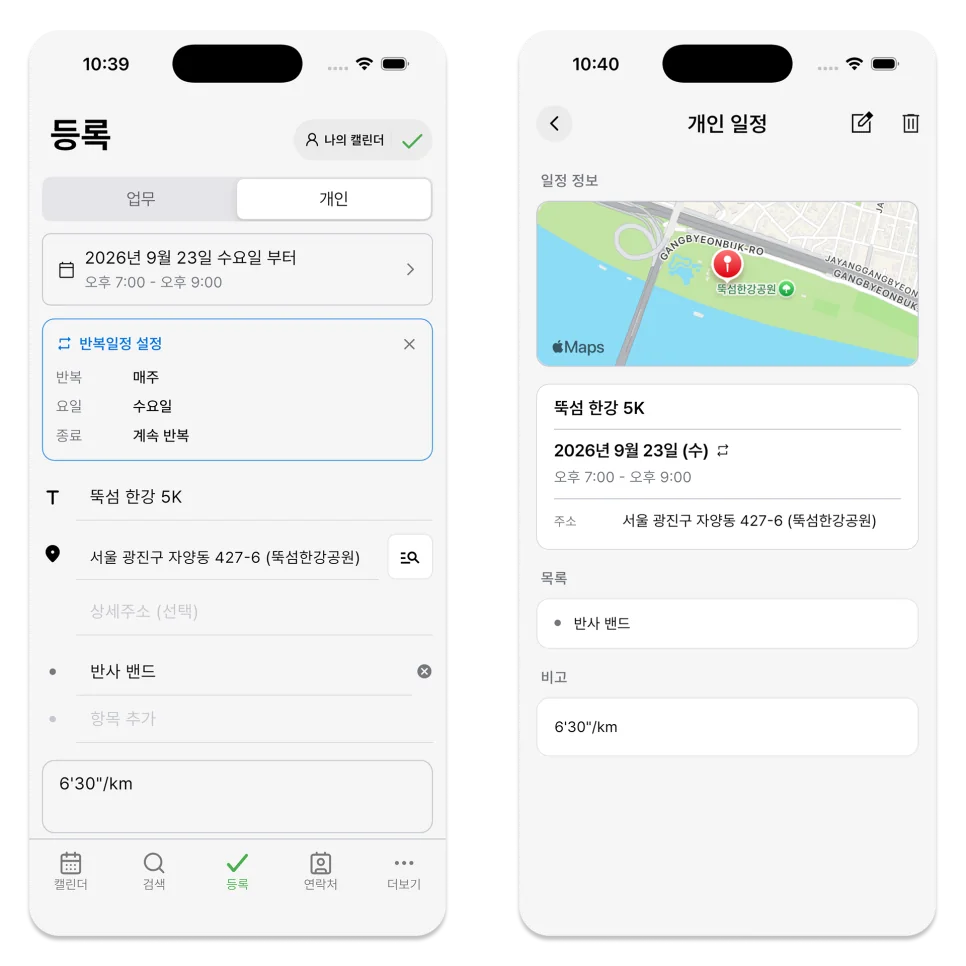
Hospital visits, exercise, meetups, and grocery trips often need no more than a title and date.
It is simpler to register such schedules as personal schedules.
In ILJI's personal calendar, you can leave the following:
- Schedule title
- Date and time
- Location
- To-do items
- Notes
- Date range or recurrence settings
For example, if you're working out every Wednesday night, just setting a title, time, and repetition is enough.
Importance alone does not make something a work schedule. When the details are simple, a personal schedule is faster to create.
2. When You Need the Work Details Later
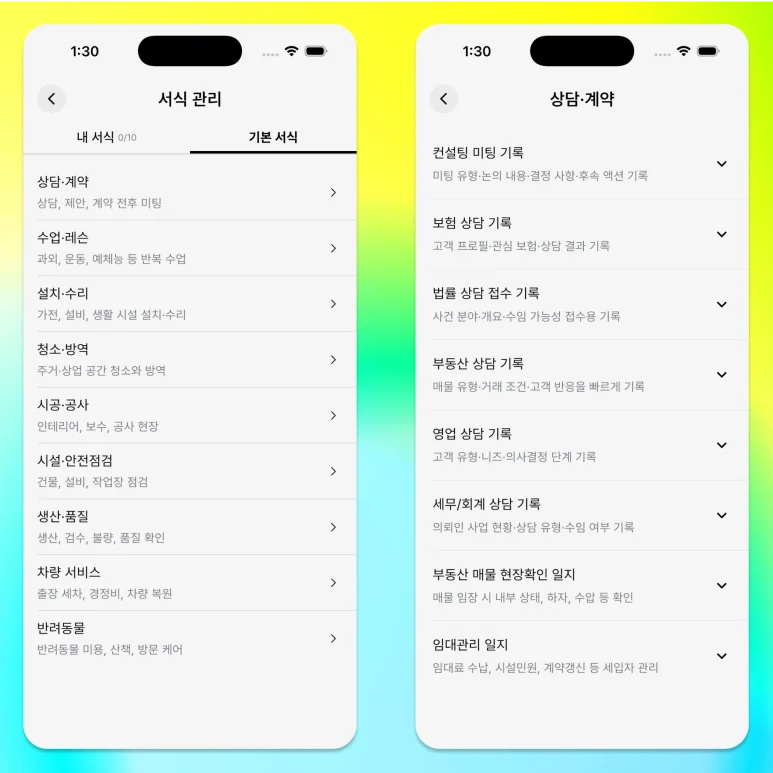
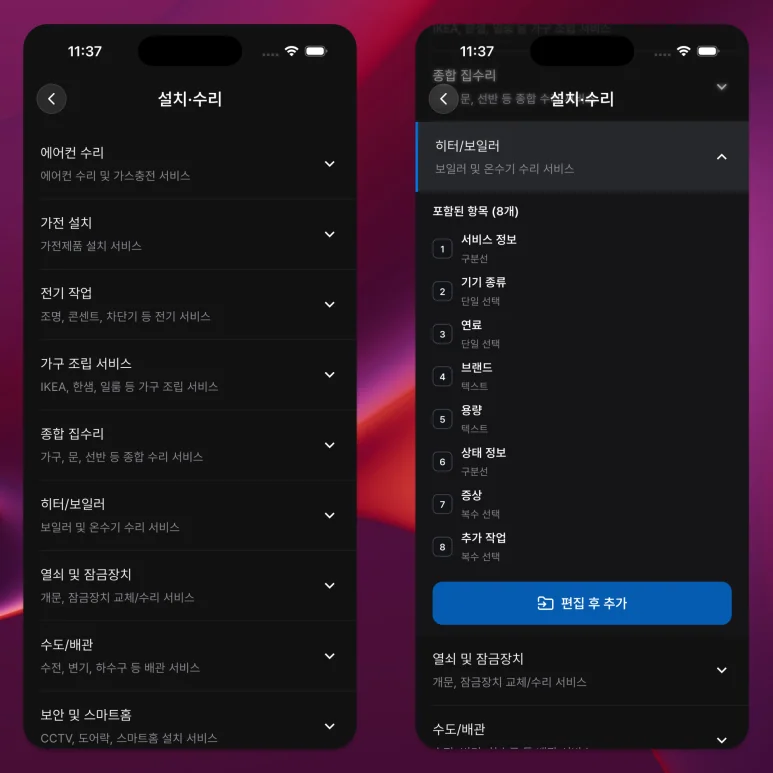
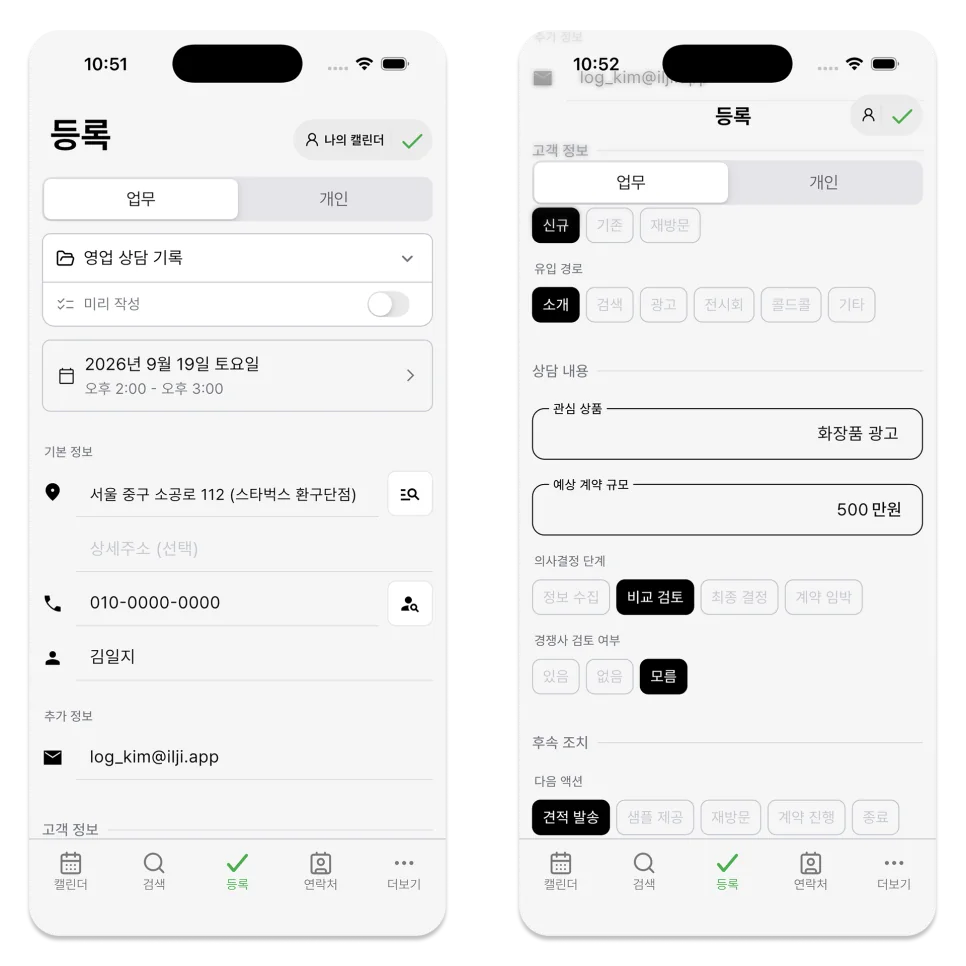
Consultations, on-site lessons, inspections, installations, and repairs often need details that remain useful after the appointment.
You may need to know who you met, where the work happened, what you checked, and how much it cost.
In that case, choose a work schedule.
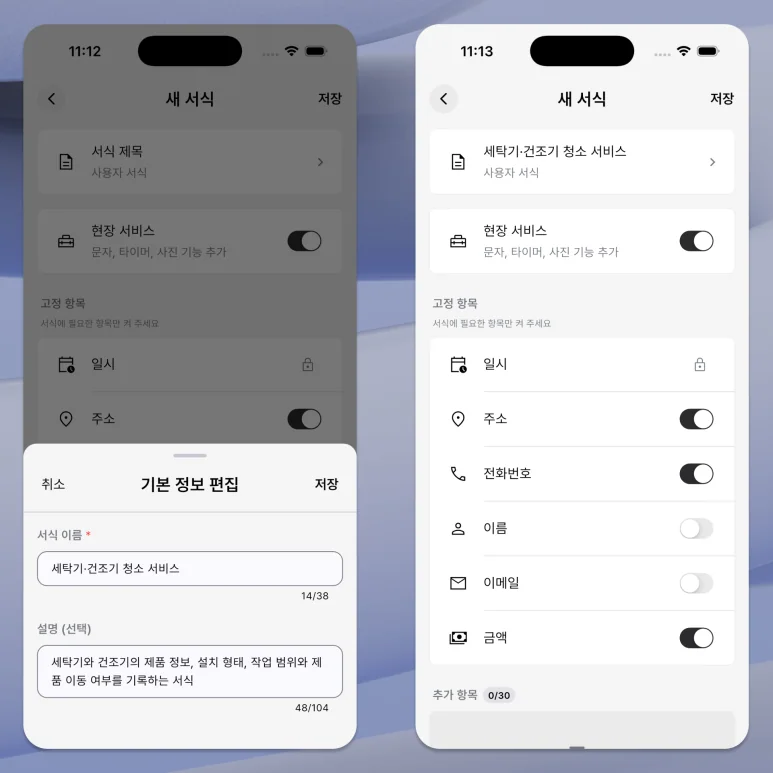
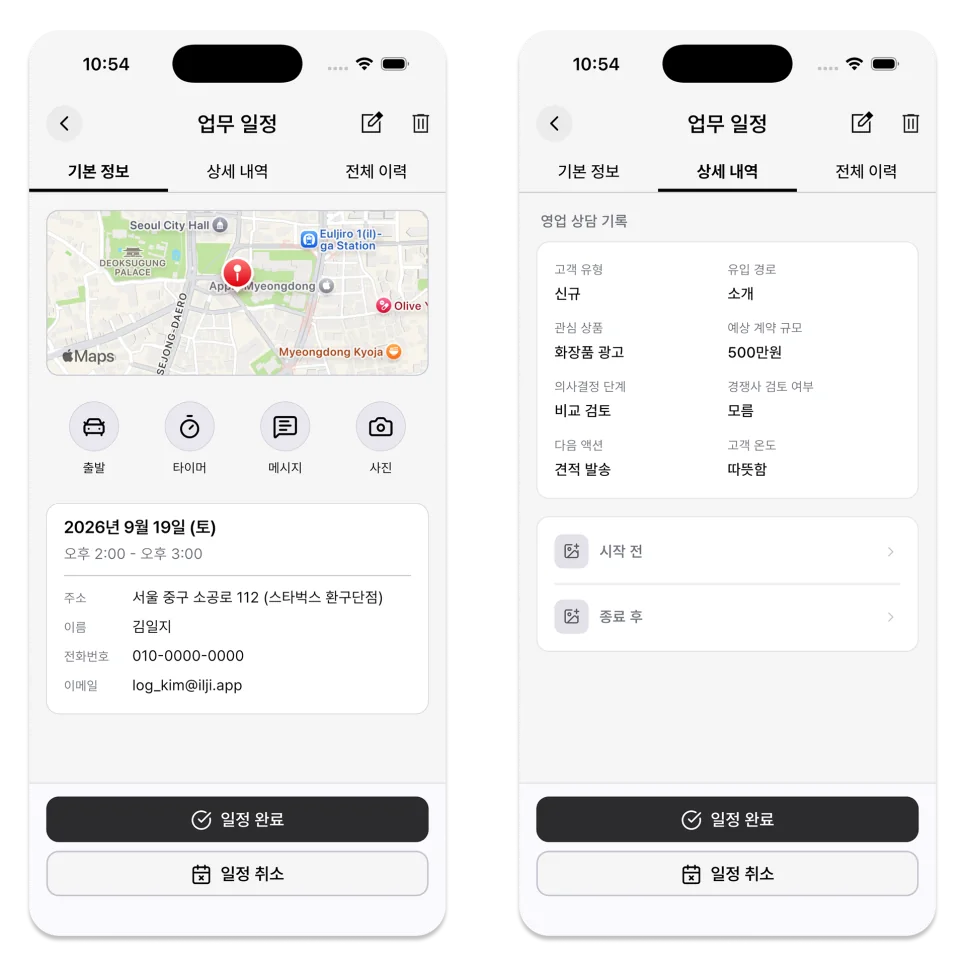
An ILJI work schedule goes beyond dates and times. Depending on the work form you choose, you can manage the following information together.
- Name and contact information
- Address and amount
- Checklist for the work
- Custom fields
If the work form uses Field Service, you can also keep a work timer and before-and-after photos.
Work forms other than Quick form can turn work details into a document and shareable PDF. On a team calendar, you can also choose an assignee.
A schedule is not just an appointment, but a record of the work done that day.
3. Work Schedules Do Not Have to Be Complicated
Not all tasks require names, contact information, or long checklists.
A short errand or one-time task may belong under Work while needing only a title, location, and checklist.
In this case, you can select ‘Quick form’ from the work schedule.
You can enter a personal schedule quickly, separate work schedules when needed, and assign work from a team calendar.
There is no need to create a complete work form from scratch.
For simple tasks, you can start with a Quick form, and when you repeatedly omit information, you can create a work form containing that item.
4. How to Choose Between Personal and Work
Use these four questions to choose.
① Is just the title and time enough?
If so, a personal schedule is right for you. You can quickly register hospital visits, exercise, meetings, or personal tasks.
② Is it work with only a few details to record?
Choose Quick form. It keeps the work schedule while recording only a title, location, checklist, and notes.
③ Do I have to leave the same information every time?
If you need to leave your name, inspection results, or amount, it is a good idea to use a work form containing those items.
To record work time and before-and-after photos, choose a work form that uses Field Service.
④ Do multiple people need to check it together?
After selecting a team calendar, create the work schedule and choose the assignee who will handle it.
5. How to Create a Schedule in ILJI
You can create a new schedule by clicking ‘Register’ at the bottom center of the ILJI screen.
- Check the calendar where the schedule will be saved.
- In My Calendar, choose Personal or Work.
- Set the date and time.
- Enter a title for a personal schedule or choose a form for a work schedule.
- Add the required details and select the checkmark to save.
When you select a team calendar, the schedule type automatically switches to Work.
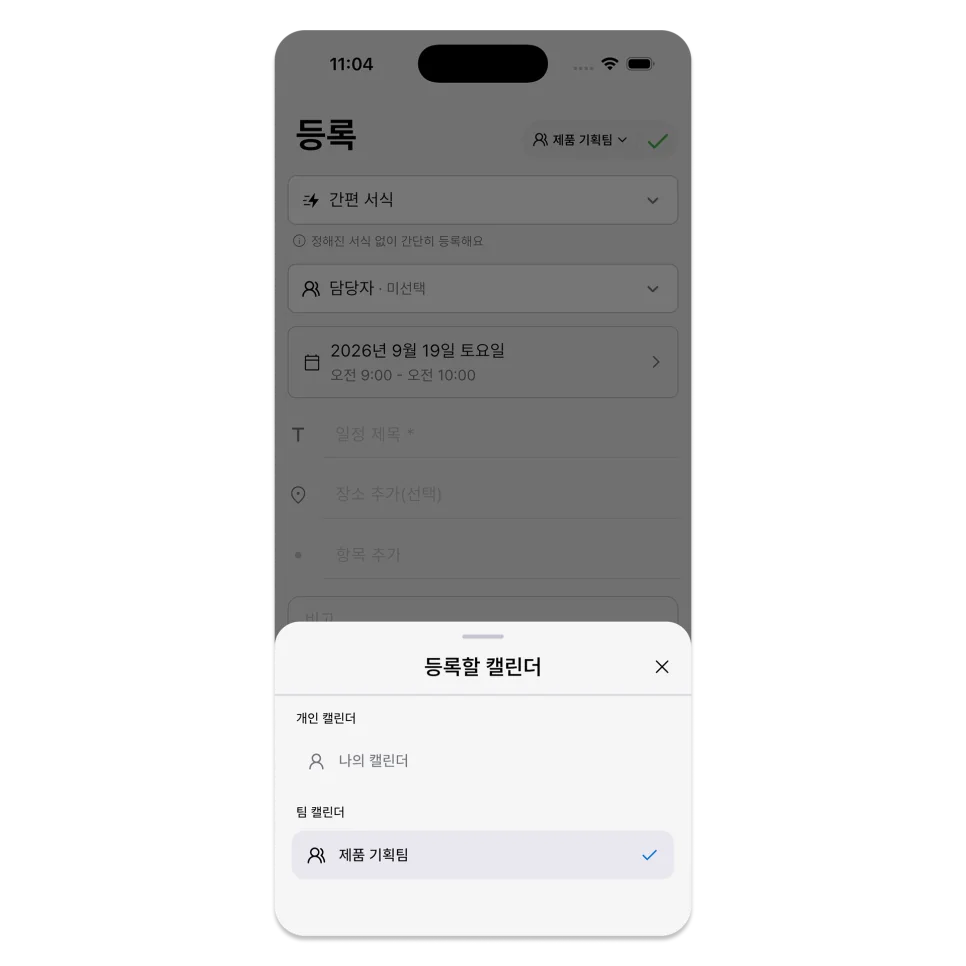
Conversely, the work schedule you create in your calendar is your schedule and is not automatically shared with your team.
Before saving, check the selected calendar and date. For a team schedule, confirm that the assignee is correct.
The category is not the goal.
The reason for separating personal and work isn't just about making your calendar look neat.
The goal is to enter what you need now and find the right record later.
If you only need a title and time, start with a personal schedule. If you need to include people involved and work processes, start with a work schedule.
Think about the next schedule you need to create and what you will want to check afterward. The right type usually becomes clear.
ILJI allows you to view your personal and work schedules together on one calendar.
When registering your next schedule, think not only about ‘who to meet and when’ but also ‘what to check again later.’
If you have a schedule that requires recording, you can easily use ILJI's work schedule and Quick form.